For residents
From your flat to the kitchen and back to your door
Book My Food is how residents order from the cafe inside their society. Here is the whole journey, step by step, with real screens from the demo store.
Step 1
Open the menu
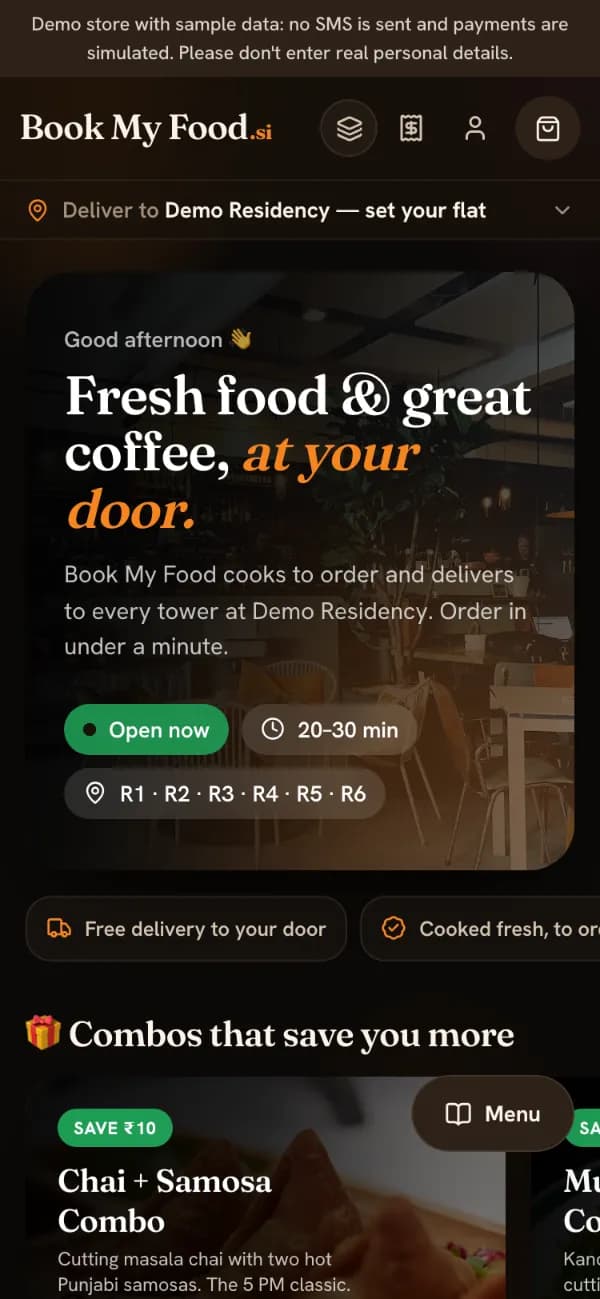
Open bookmyfood.si on your phone or laptop, or use the Android app. Above the full menu you get combos, picks for the time of day (breakfast, lunch, chai-time snacks or dinner) and current offers. Search by dish, tap Veg only to hide everything else, and sold-out items are greyed out with a “Sold out” label, so you can’t order something the kitchen can’t make.
Step 2
Tell us your flat, not a map pin
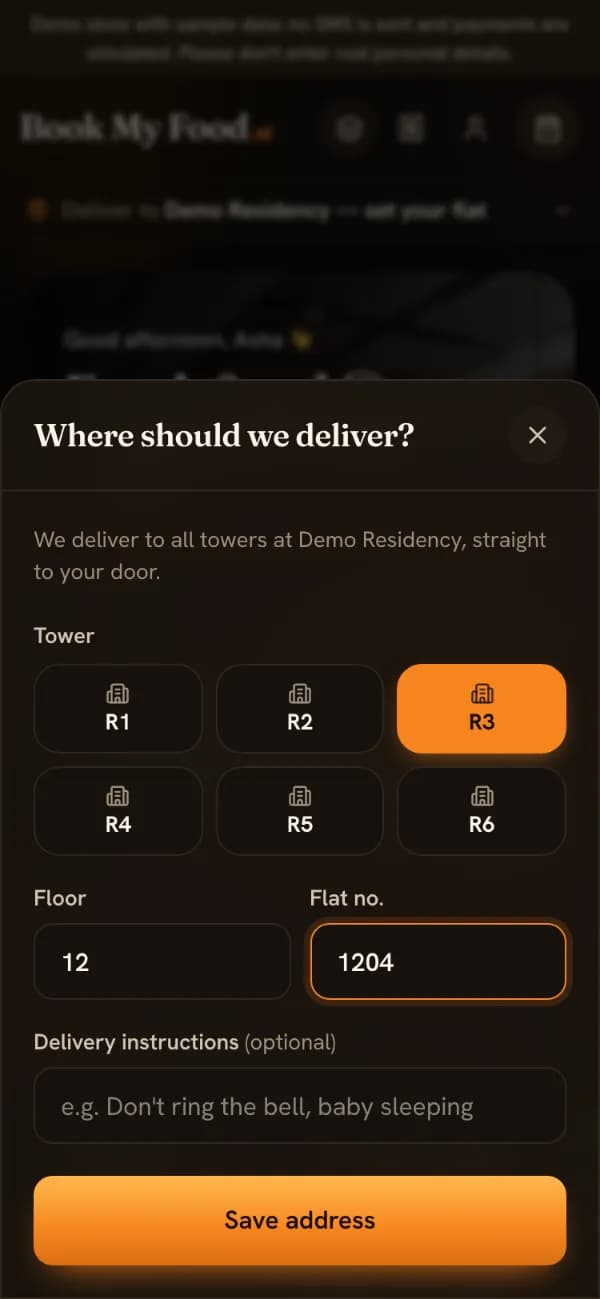
Tap Deliver to and pick your tower, then type your floor and flat number. You can add a note for the rider, such as “don’t ring the bell”. There is no map pin to drag: inside a society, tower, floor and flat is the address. It is saved, so next time you skip this step.
Step 3
Customise and add to cart
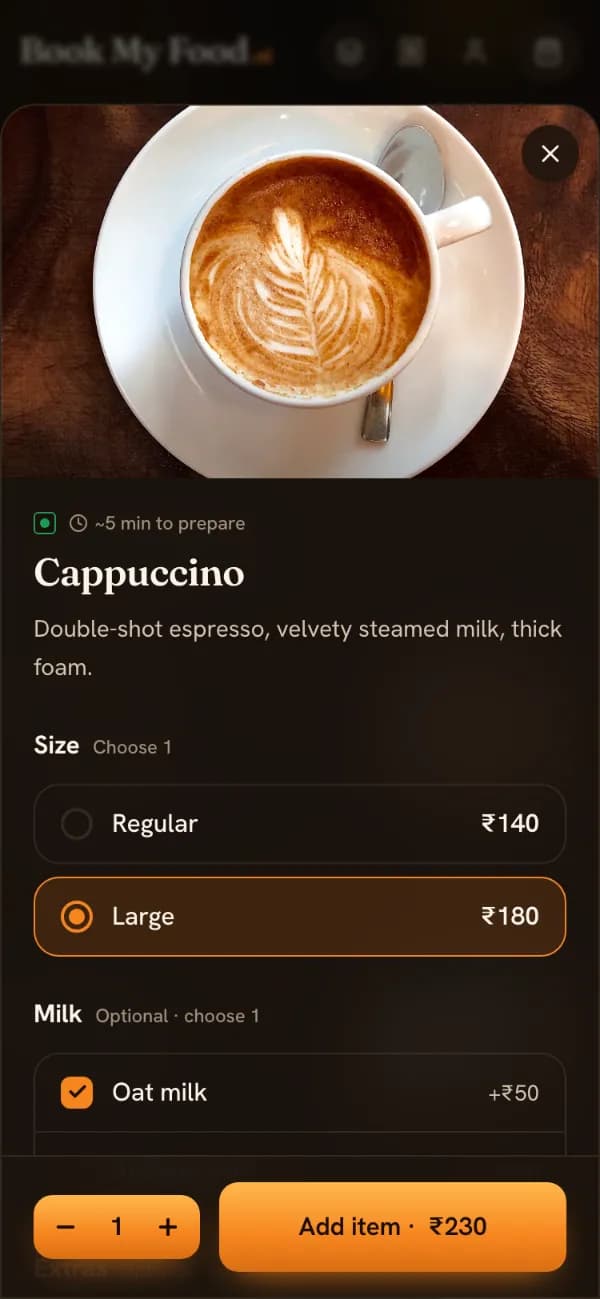
Tap a dish to choose its size and add-ons (oat milk, an extra shot, Jain, extra cheese and so on) or leave a note. The price on the button updates as you choose. Your cart shows a running bill, and the server works out the final bill again at checkout, so the price you pay always comes from the current menu.
Step 4
Log in with your mobile number
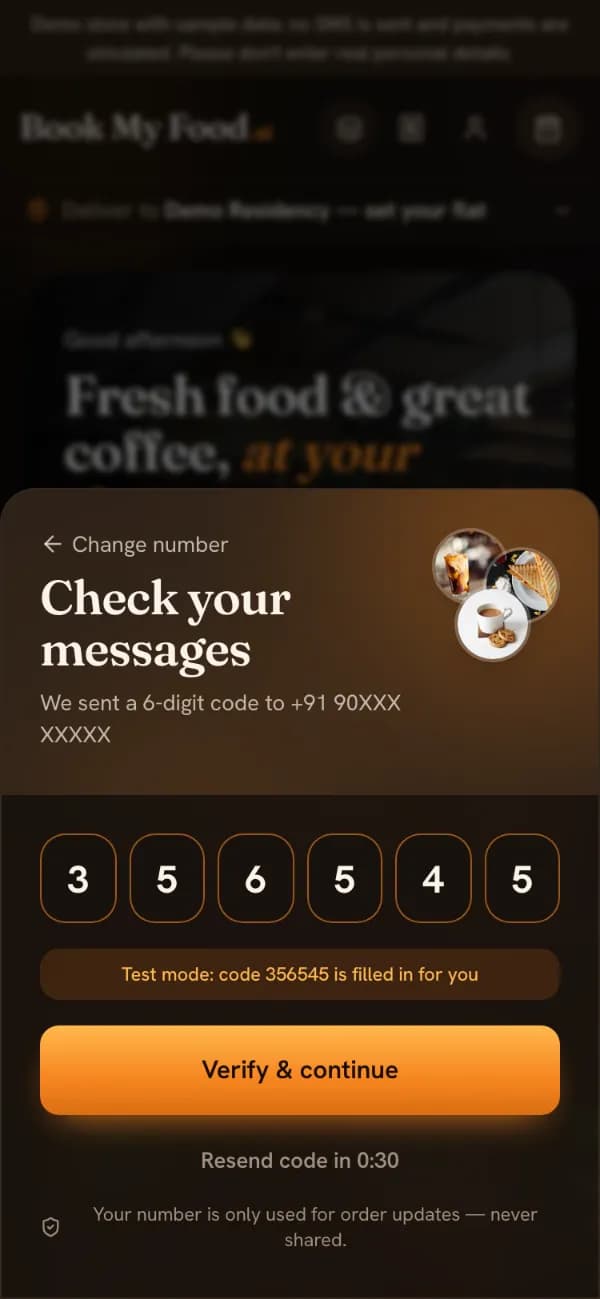
No password. Enter your 10-digit mobile number and the 6-digit code you receive. On the demo store no SMS is sent: the code is shown on screen and filled in for you. The first time, you also give a name so the rider knows who to ask for.
Step 5
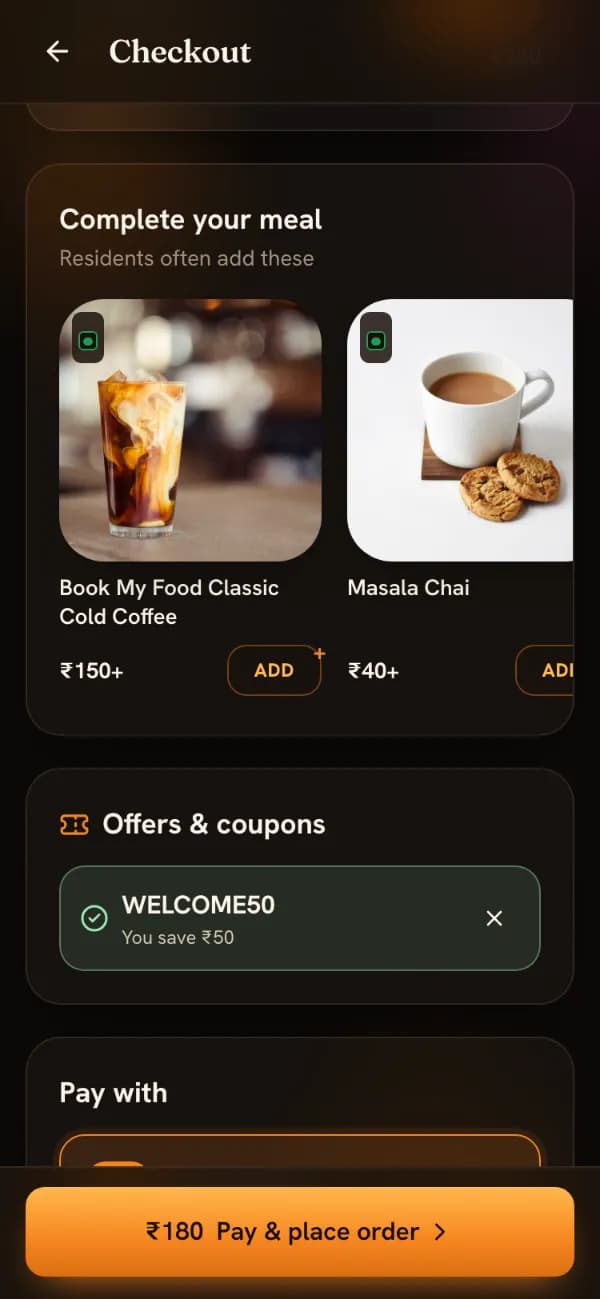
Check out and pay
Checkout shows your flat, your items, offers you can tap to apply and the bill. Pay by UPI or card through Razorpay, or choose cash on delivery, whichever the cafe has switched on. An online order reaches the kitchen only after the server has verified the payment. On the demo store, payments are simulated: a test screen lets you pay or simulate a failed payment, and no money moves.
Step 6
Follow it to your door
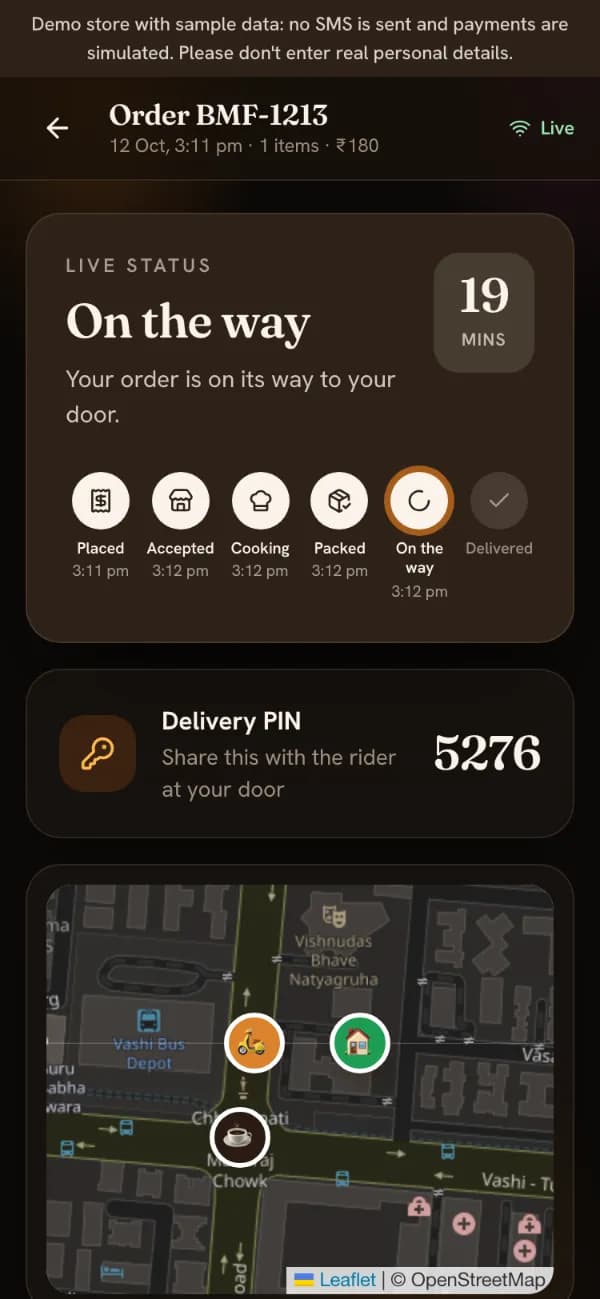
The tracker updates live as the kitchen works: Order placed, Accepted (with a countdown to the time the kitchen promised), Being prepared, Ready for pickup, On the way and Delivered. When a rider has your order you see their name, a call button and their position on a map. If the cafe uses delivery PINs, a 4-digit PIN appears for you to tell the rider at the door. Afterwards you can rate the order and reorder it later in one tap.
What each status means
These are the order statuses you see on the tracker, and what is happening on the cafe’s side at the same moment. The server only allows them in this order, so an order can’t skip a step.
| Status | What you see | At the cafe |
|---|---|---|
| Awaiting payment | You chose UPI or card and haven’t finished paying. | Nothing yet: the order isn’t on the kitchen board until payment is verified. |
| Order placed | Waiting for the kitchen to accept. You can still cancel. | A new card on the board and a chime that repeats until someone accepts. |
| Accepted | A countdown to the promised time. | Staff picked an ETA (10, 15, 20, 30 or 45 minutes) and the GST invoice number is assigned. |
| Being prepared | Your food is being cooked. | The order moves to the Preparing column; a kitchen ticket (KOT) can be printed. |
| Ready for pickup | Packed and waiting for a rider. | Riders see it under “Ready to pick up” and can claim it. |
| On the way | Rider name, call button, live map and your PIN. | The rider shares their location from rider mode. |
| Delivered | Rate the order and reorder it later. | Cash orders are marked as collected. |
An order can also be cancelled (by you while it is still “Order placed”, or by the cafe) or rejected by the cafe with a reason. If you had paid online, the refund starts automatically.
Good to know
Reorder your usual
Your last delivered order appears on the menu as “Your usual”. One tap puts it back in the cart; anything sold out today is skipped and named.
If the kitchen is busy
The cafe can set busy mode, which adds time to the delivery estimate and shows a notice on the menu, or pause new orders for a few minutes.
The demo store
bookmyfood.si currently runs a demo: Demo Residency is fictional, no SMS is sent, payments are simulated and nobody delivers. Please don’t enter real personal details.
Running the cafe? See what the kitchen, riders and owner see, or read how one order moves from flat to doorstep. Questions? Help & FAQ.
Try it on the demo store
Pick a flat, add something you like and place a test order. It takes about a minute, and nothing is charged.