- For cafes
- Operations
- Switching
Moving a society cafe off WhatsApp and the order notebook
A practical guide for cafe and kitchen owners inside a residential society: where WhatsApp-and-notebook ordering breaks down, what to change first, and a four-week plan to switch without losing your regulars.
By Book My Food team · Published · Updated · 8 min read
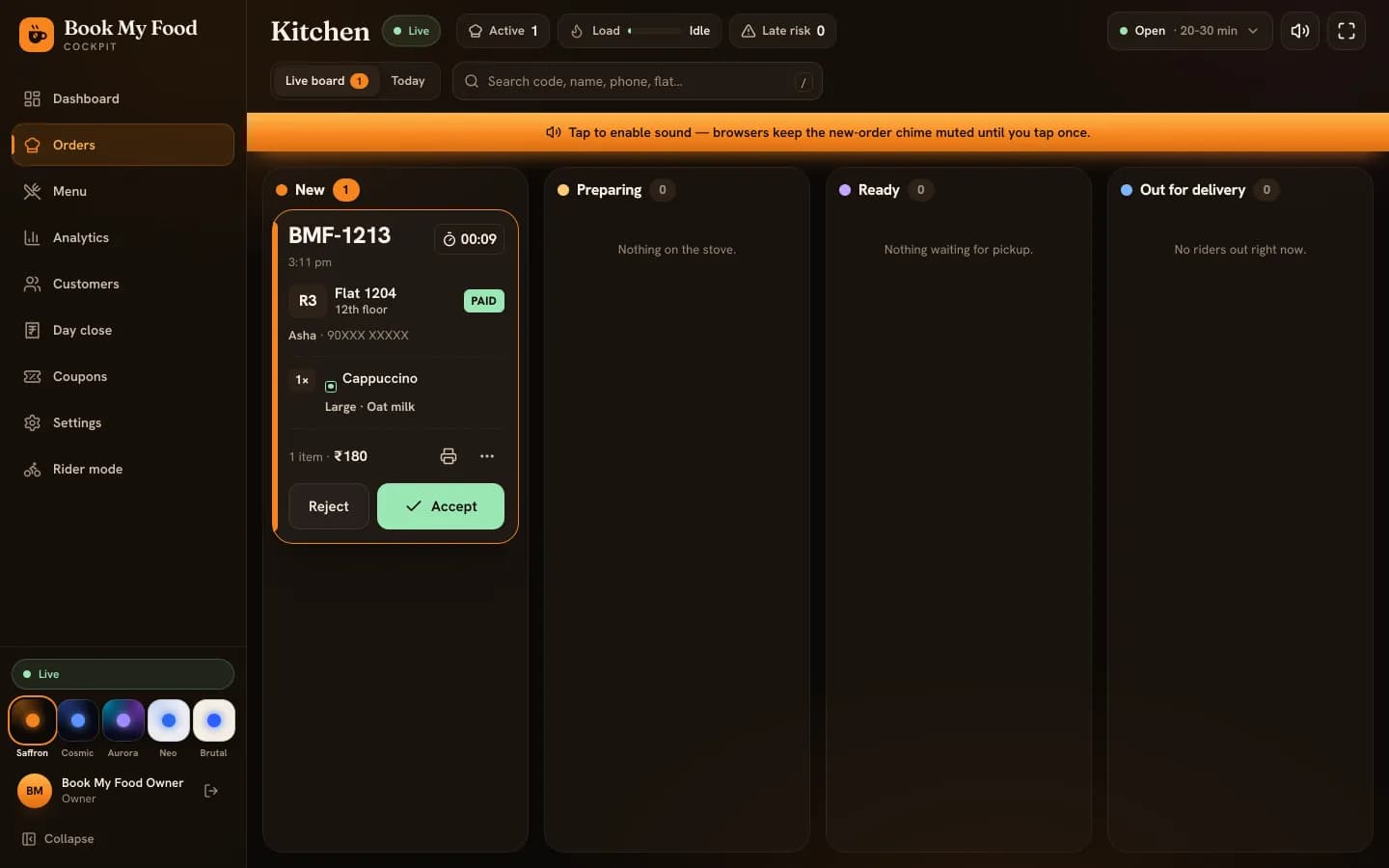
If you run the cafe or kitchen inside a residential society, there is a good chance your ordering system is a WhatsApp number, a phone that rings, and a notebook by the counter. It costs nothing, everyone already has WhatsApp, and on a quiet afternoon it works.
This guide is about the other times: the breakfast rush, the Sunday dinner peak, the evening when one person is cooking and another is answering the phone. It covers where the chat-and-notebook system breaks, what a replacement actually has to do, and a four-week plan for moving residents over without upsetting the regulars who keep you in business. Where we mention Book My Food features, they are things the software does today; you can see them on the for cafes page.
Where WhatsApp and the notebook break
None of these are failures of effort. They are what happens when a chat app is used as an order queue.
A chat has no “not handled yet”. A message that has been read looks the same as one that has been cooked. When two people share the phone, or the cook glances at a message and means to come back to it, an order can sit unnoticed until the resident calls.
Addresses arrive as free text. “R3, 12th, next to the lift”, “same flat as last time”, a voice note. Someone has to turn that into a tower, floor and flat, and get it right while the next message comes in.
Totals are done by hand. Sizes, extra cheese, a combo, a festive discount, a price you changed last week: each one is a chance for the bill to be wrong in one direction or the other.
Payment proof is a screenshot. Matching UPI credits to orders happens at night, if it happens at all, and a missing payment is hard to chase once the food is eaten.
Residents can't see progress, so they call. Every “where is my order?” call lands on the same people who are cooking.
Sold out is discovered too late. The resident orders the paneer sandwich, you're out of paneer, and now there is a back-and-forth while the rest of the order waits.
The day's numbers have to be rebuilt. At closing time the truth is spread across the notebook, the UPI app, the cash drawer and the chat history.
What a replacement has to do
You don't need every feature of a big delivery app. You need a short list of things the chat can't do.
One queue with an obvious “new” state. New orders should be impossible to miss and stay loud until someone owns them. On the Book My Food kitchen board, a new order sits in the New column and a chime repeats every few seconds until a staff member accepts it.
Addresses as tower, floor and flat. Inside a society that is the whole address, and it should be picked, not typed as a sentence. Residents choose their tower and type the floor and flat once; it is saved for next time.
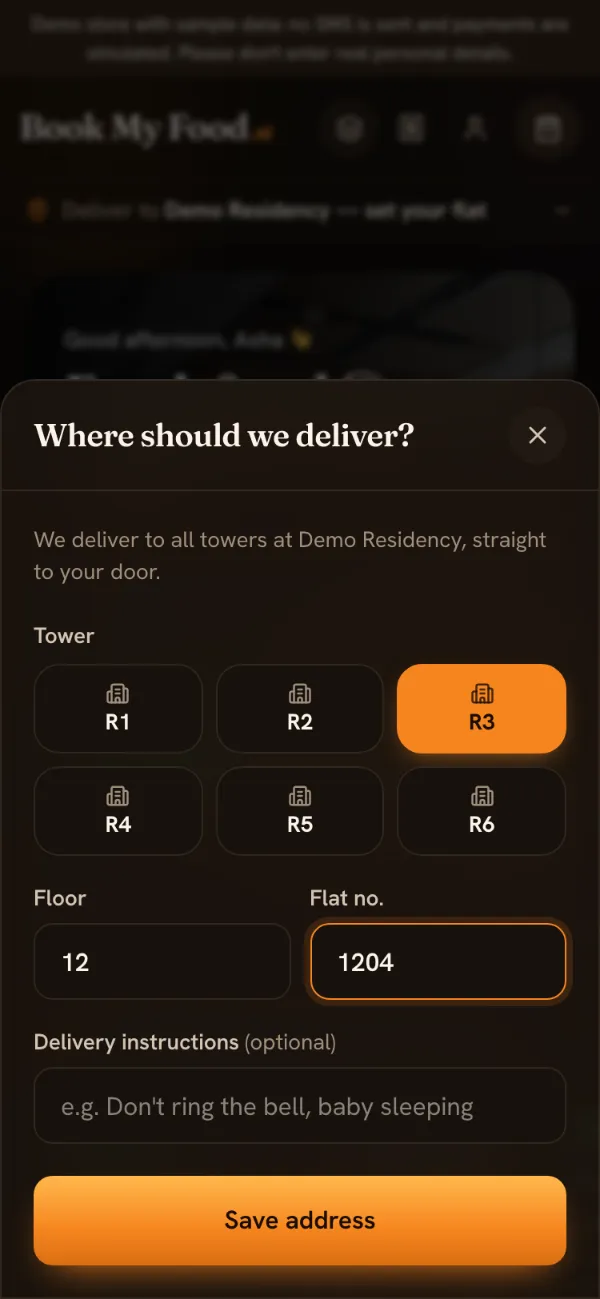
Residents pick their tower and type the floor and flat: no free-text addresses. Prices worked out by the system. The bill, including coupons, fees and GST, should be calculated from your current menu every time, not added up by a person. In Book My Food the server prices every order and never takes a price from the phone.
Payments confirmed by the system. An online order should reach the kitchen only once the payment is confirmed, without anyone checking screenshots. With Razorpay connected, payment is verified on the server before the order appears on the board; cash on delivery still works.
A status residents can see. If residents can watch the order go from accepted to cooking to on the way, with a countdown, most of the “where is it?” calls never happen. See what the resident's tracker shows.
Sold out in one tap. Whoever is at the counter should be able to switch a dish off the menu the moment it runs out, so nobody can order it.
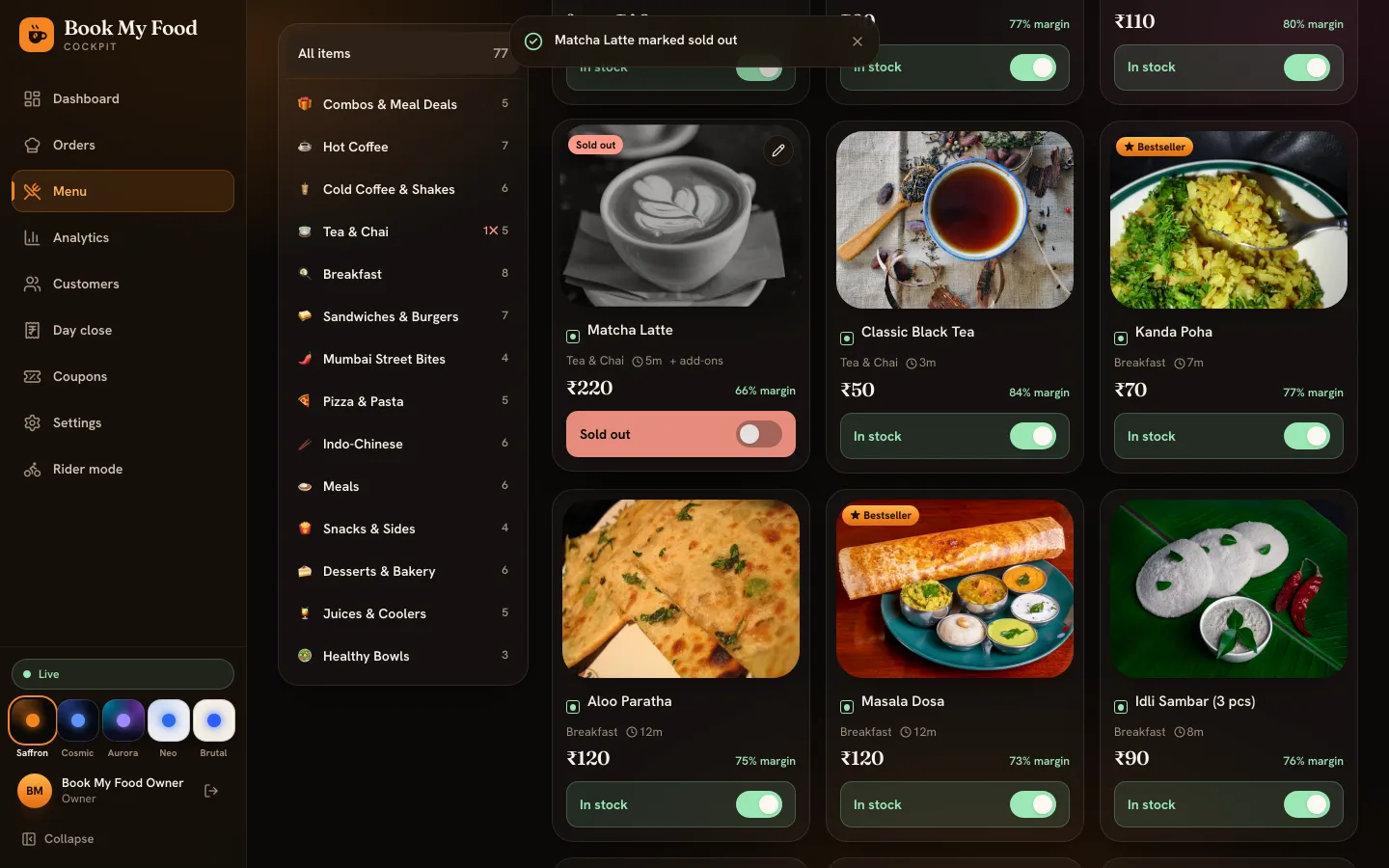
Kitchen staff can mark a dish sold out; residents' menus update at once. A daily close. The day's sales, cash, refunds and expenses should add themselves up, so closing is reading a screen rather than reconciling three sources.
Before you switch: a checklist
Getting these ready first makes the first week calm instead of chaotic.
- The menu, written down properly. Every item with its price, sizes (Regular, Large, a flask of chai), add-ons (oat milk, extra cheese, Jain), preparation time, and a photo. A cost price per item is optional but lets you see margins. If prices include GST, note that once, not per item.
- Towers and floors. The list of towers you deliver to and how many floors each has.
- Staff and roles. Who takes orders (kitchen or cashier), who delivers (riders), who sees money (owner or manager). Each person signs in with their own mobile number.
- Payments. A Razorpay account and its API keys if you want UPI and card payments; decide whether you keep cash on delivery.
- Login codes by SMS. Residents log in with a one-time code. For a live store you need an SMS provider and a DLT-registered message template; the provider helps with registration.
- Tax details. Your GSTIN and FSSAI licence number appear on invoices; the invoice warns you if the GSTIN hasn't been entered.
- Hardware. A tablet or laptop for the board where the kitchen can hear it, and, if you want printed kitchen tickets, an 80 mm receipt printer.
- Hosting in India. Residents' names, phone numbers and flats are personal data, and a live store is meant to keep them in India.
A four-week switch plan
This is a suggested plan, not a rule. Adjust it to your society and your team.
Week 1: set up and rehearse
Enter the menu and towers, add your staff, and mark a few things sold out and back to get the feel. Then run a rehearsal: staff place orders as if they were residents while someone works the board, accepts with an ETA, prints the kitchen ticket, marks it ready and delivers it in rider mode. Do it at least once with the board's sound on and the tablet where it will actually live. Your staff can follow the lessons for their role.
Week 2: soft launch
Share the link in the society group and tell people what changes for them: pick your flat once, pay by UPI or cash, and watch your order instead of calling. Keep taking WhatsApp orders as before; there is no screen for staff to enter a phone or WhatsApp order on a resident's behalf, so those still go in the notebook for now. When a regular messages, reply with the link and offer to help them place it.
Week 3: make the link the default
Put printed menu cards with a QR code at the counter, in the lifts and in the lobby. Book My Food generates a printable card at /menu-card, and adding ?source=r1-lift (or any short tag) to its address prints a QR code that carries the tag, which is saved with the orders that come from it. The cockpit doesn't report on these tags yet, so treat this as groundwork for later. A first-order coupon gives residents a reason to try it: the demo store's WELCOME50 is ₹50 off a first order above ₹199. On busy evenings, switch on busy mode so the delivery estimate reflects reality instead of disappointing people.
Week 4: close the loop
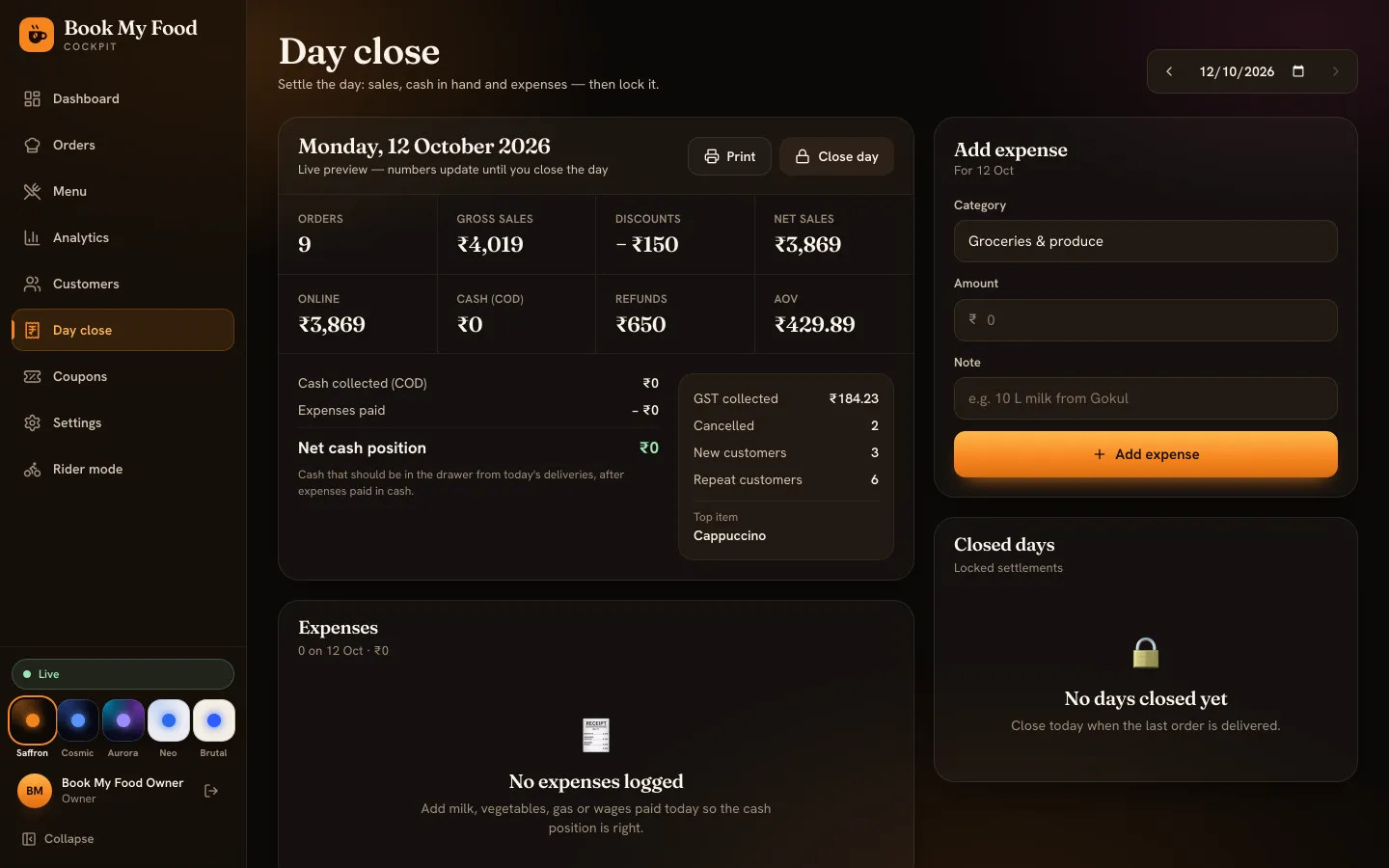
Close each day in Day close: log cash expenses as they happen and lock the day when the last order is delivered. At the end of the week, look at Analytics: which towers order most, which hours are busiest, which dishes sell and what they earn.
What to measure
Your own numbers are more useful than anyone's averages. A few to track week by week:
- Orders through the link versus by WhatsApp or phone. The cockpit counts the first; keep a tally of the second for a few weeks.
- Time to accept and late orders. The dashboard shows average prep and delivery times and lists orders that waited more than a minute or ran late.
- Cancellations and rejections, and their reasons.
- Repeat customers. The Customers screen marks residents as New, Returning or Regular.
- Calls asking “where is my order?” Count them for a few days before and after. It is the clearest sign the tracker is doing its job.
Common worries
“Residents won't install another app.” They don't have to. The menu is a website: open the link, pick a flat, log in with a mobile number. The Android app is there for regulars who want one-tap reorders.
“My staff aren't comfortable with technology.” The board has large buttons and only shows the next sensible action on each order (Accept, Start preparing, Mark ready). The kitchen board lesson fits on one page.
“Half my orders are cash.” Cash on delivery stays. The rider's screen says how much to collect, and Day close separates cash from online takings.
“Some residents will always call.” That is fine. Keep answering the phone for them while the rest of the society moves to the link.
Where to go next
Read how one order moves from flat to kitchen to doorstep to see every status from both sides, try the resident side yourself on the demo store, or browse the lessons for staff.