Demo store with sample data: no SMS is sent, payments are simulated and a demo kitchen moves your order along by itself. Please don't enter real personal details.
Skip to content

Features

Everything it does, role by role

One order, four people: the resident who orders it, the kitchen that cooks it, the rider who brings it and the owner who runs the place. Each feature below comes with a real screenshot of the product.

Residents

For residents

Order from the cafe in your society on any phone or laptop, or in the Android and iPhone apps.

A menu that knows what time it is

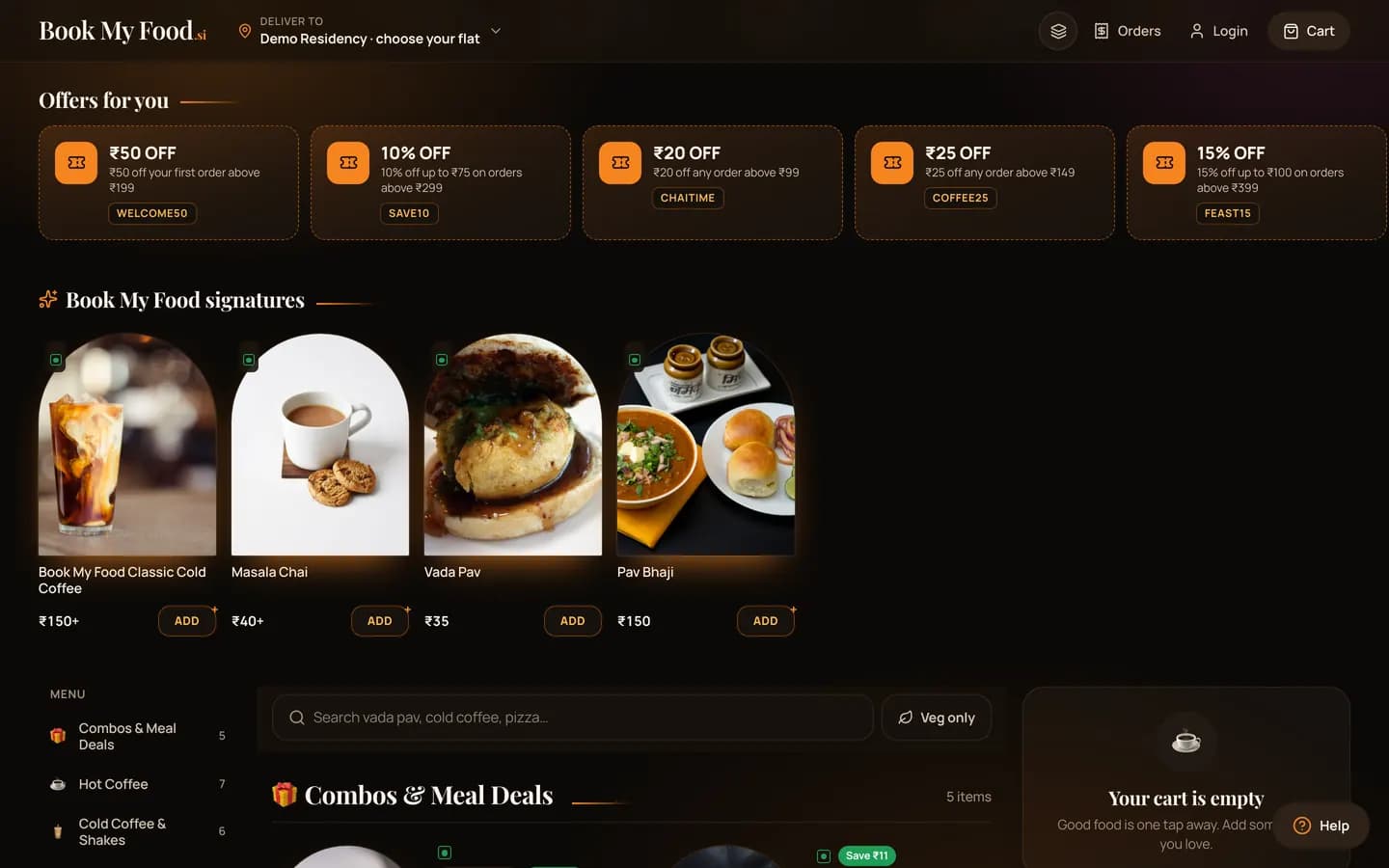
Combos with their savings, picks for breakfast, lunch, chai time or dinner, live offer codes and the cafe’s signatures — above the full menu.

  • Search and a Veg only switch
  • Sold-out dishes are greyed out, so you can’t order them
  • Busy or closed? The menu says so before you order
Open the menu
The Book My Food menu on a laptop scrolled to Offers for you: offer cards with the codes WELCOME50, SAVE10, CHAITIME, COFFEE25 and FEAST15, then Book My Food signatures with photos of cold coffee, masala chai, vada pav and pav bhaji, and the category rail.

Tower, floor and flat — no map pin

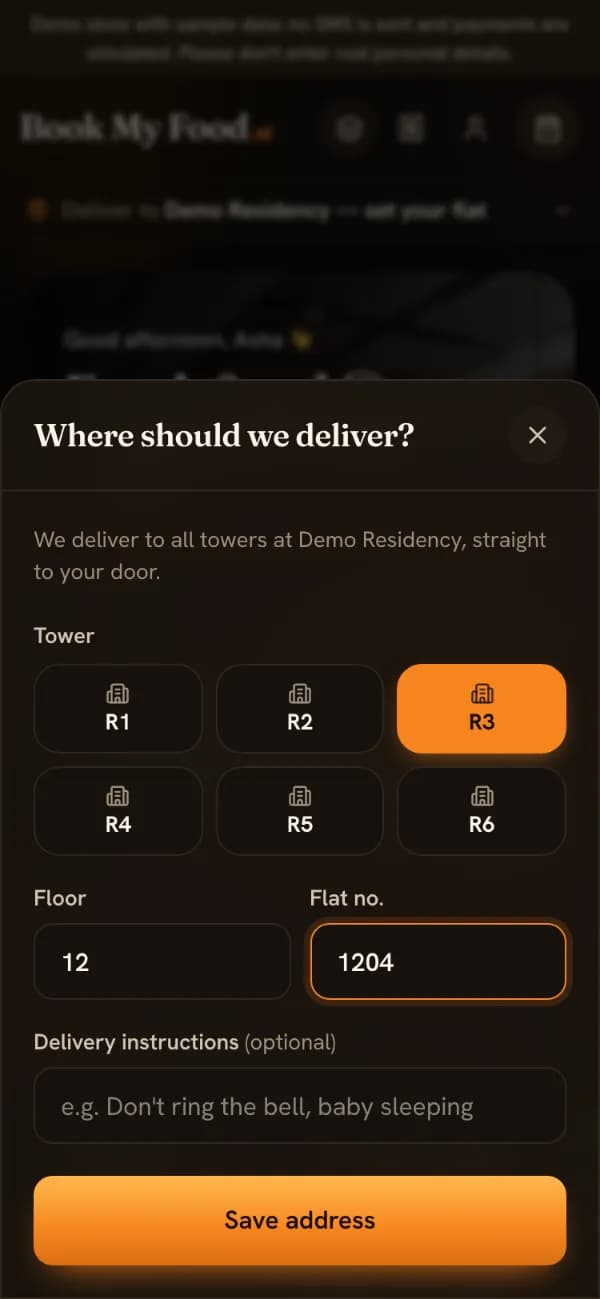
Inside a society that is the address. Pick your tower, type your floor and flat, add a note for the rider. It’s saved for next time.

The “Where should we deliver?” sheet with tower buttons R1 to R6, R3 selected, floor 12, flat 1204 and an optional delivery-instructions field.

Sizes, add-ons and notes

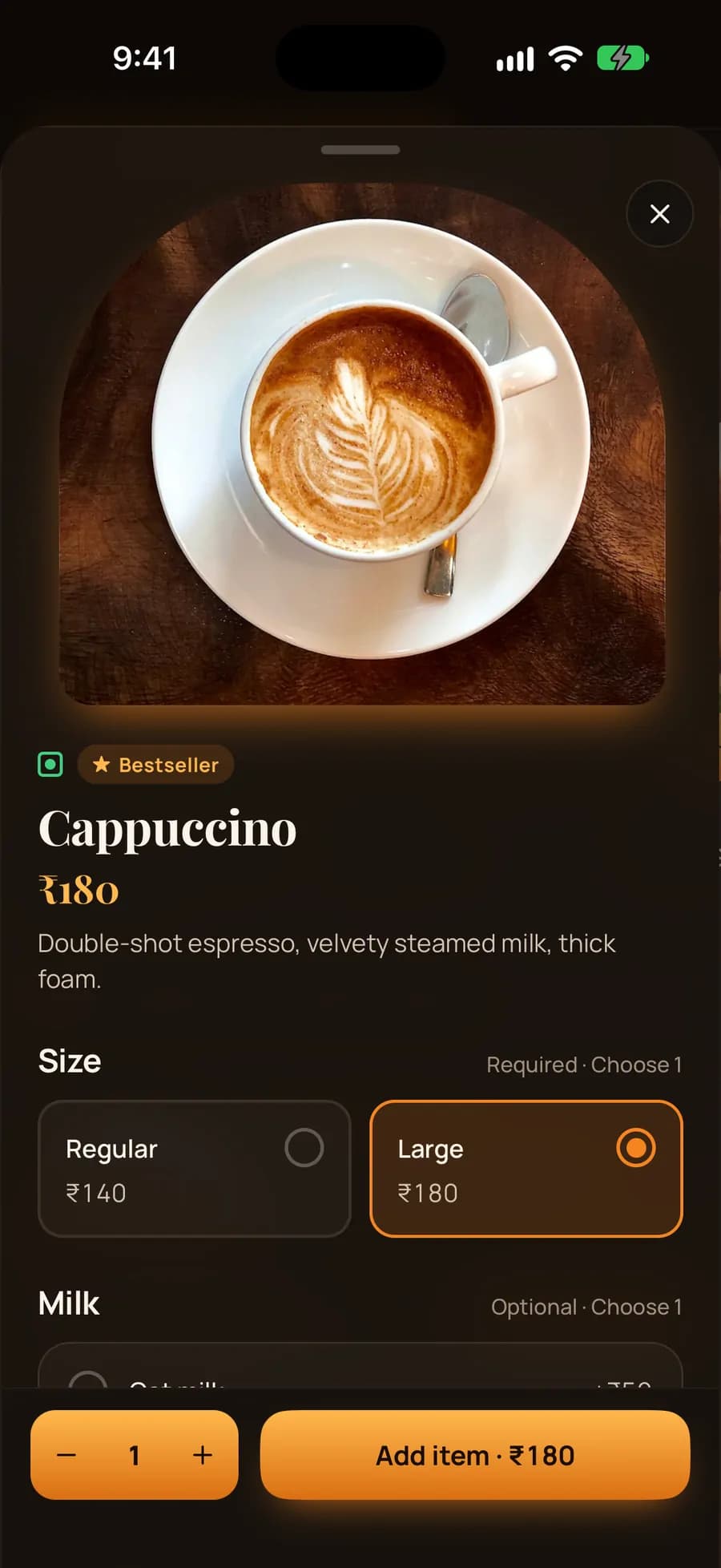
Regular or Large, oat milk, an extra shot, Jain — the price on the button updates as you choose, and the server prices the final bill.

iPhone app cappuccino options: size Regular ₹140 or Large ₹180 selected, optional milk choices, Add item button.

Log in with your mobile number

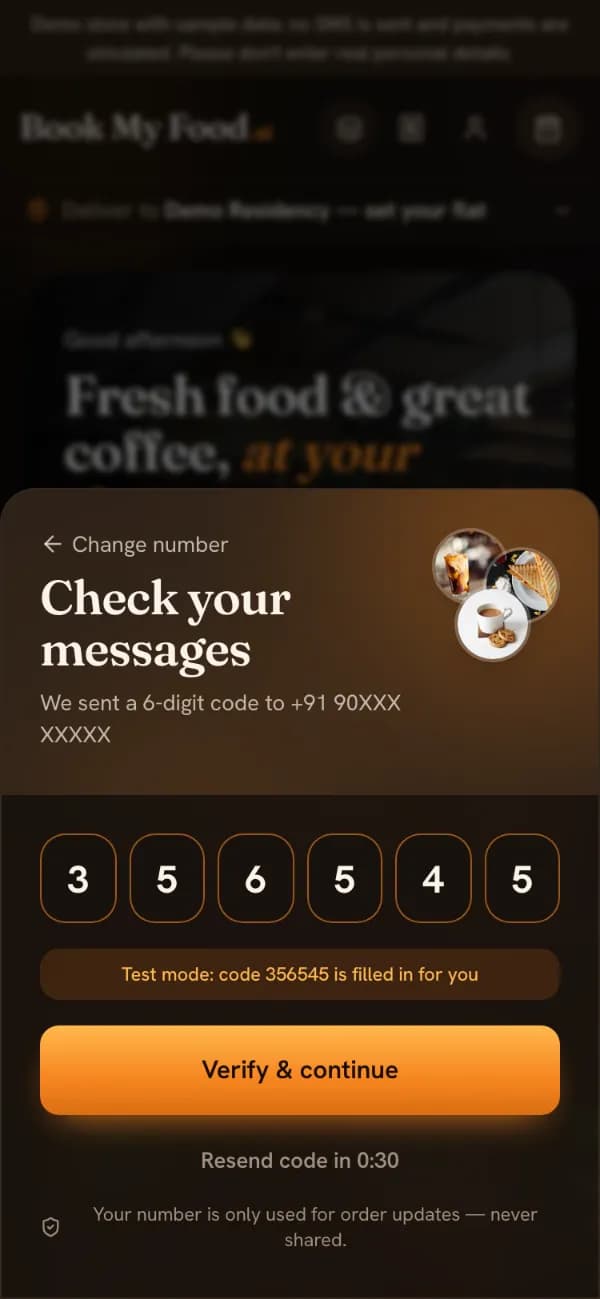
No password: a 6-digit code. On the demo store no SMS is sent — the code is shown and filled in for you.

The login sheet on the demo store: six code boxes already filled and a note “Test mode: code is filled in for you”. The phone number is masked.

UPI, card or cash on delivery

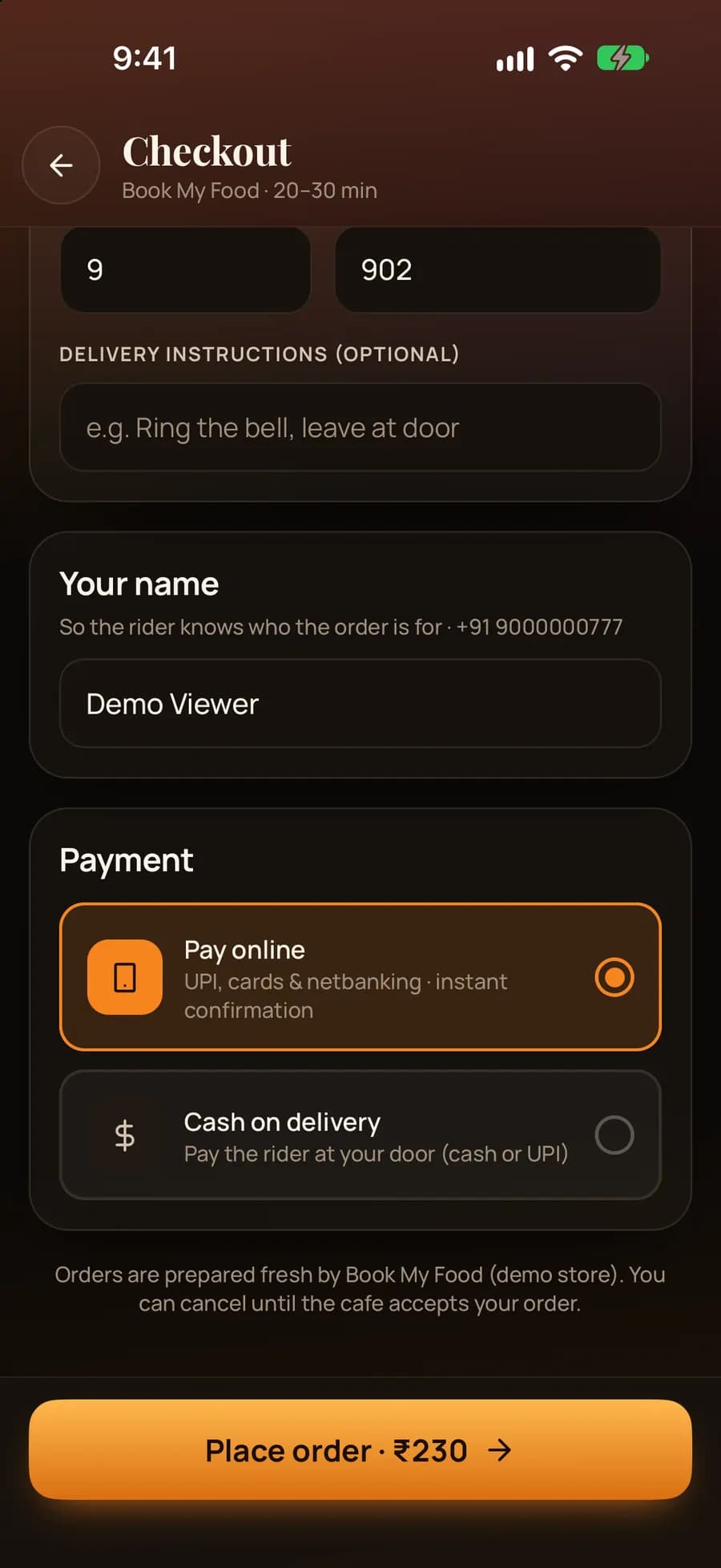
Online payments go through Razorpay and the order reaches the kitchen only after the server has verified the payment. Or pay cash at the door, if the cafe allows it.

  • Offers apply at checkout and the bill shows what you save
  • GST shown in the bill
  • Payments are simulated on the demo store
Today’s offers
iPhone app payment choice: Pay online (UPI, cards and netbanking) or Cash on delivery, with Place order ₹230.

Live tracking with the rider on a map

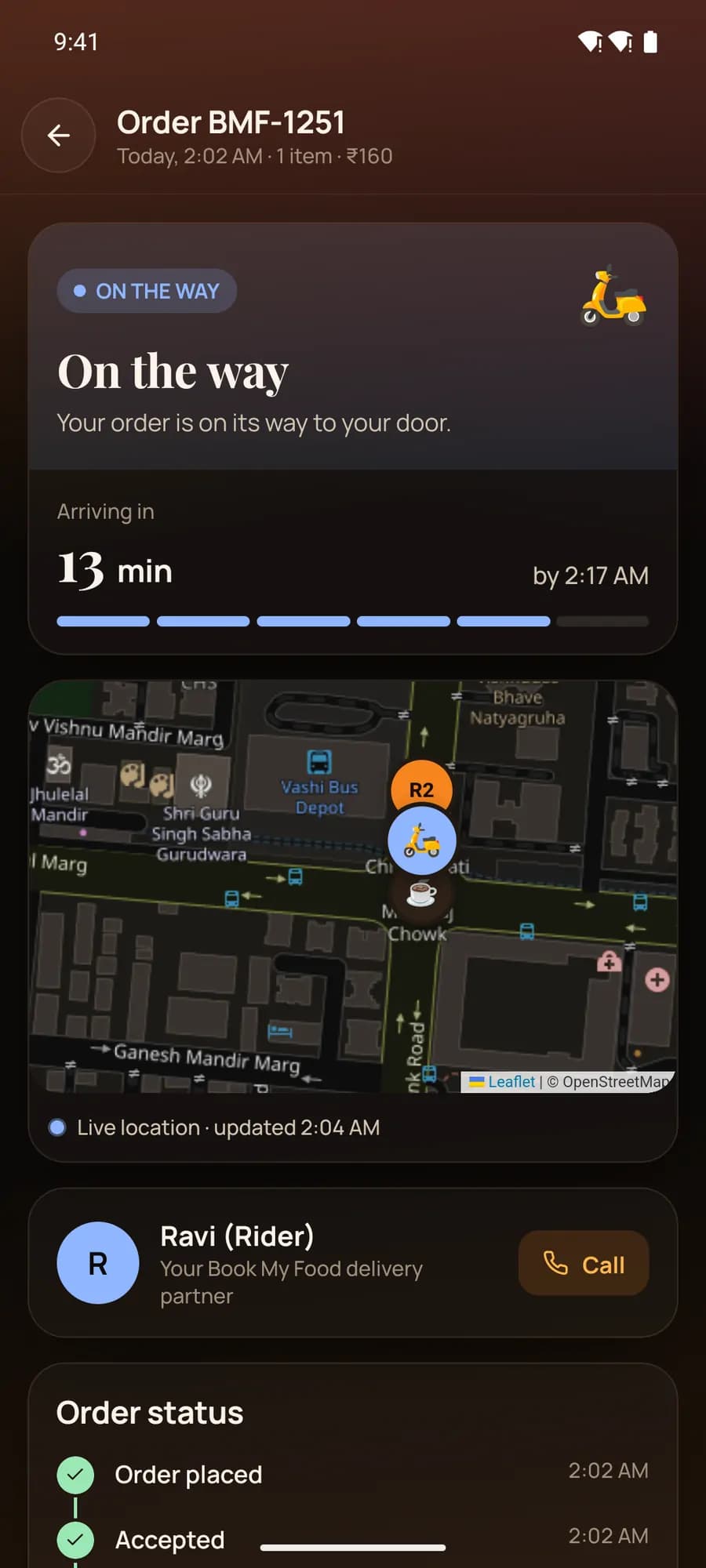
Placed, accepted with a promised time, being prepared, ready, on the way, delivered — it updates by itself. On the way, you see the rider’s name, a call button and their dot on a map.

  • Optional delivery PIN so the order reaches the right person
  • Cancel any time before the kitchen accepts
Lesson: track your order
Android app tracker: On the way, arriving in 13 minutes, live map with the rider next to tower R2, rider Ravi with Call.

Rate it, then reorder in one tap

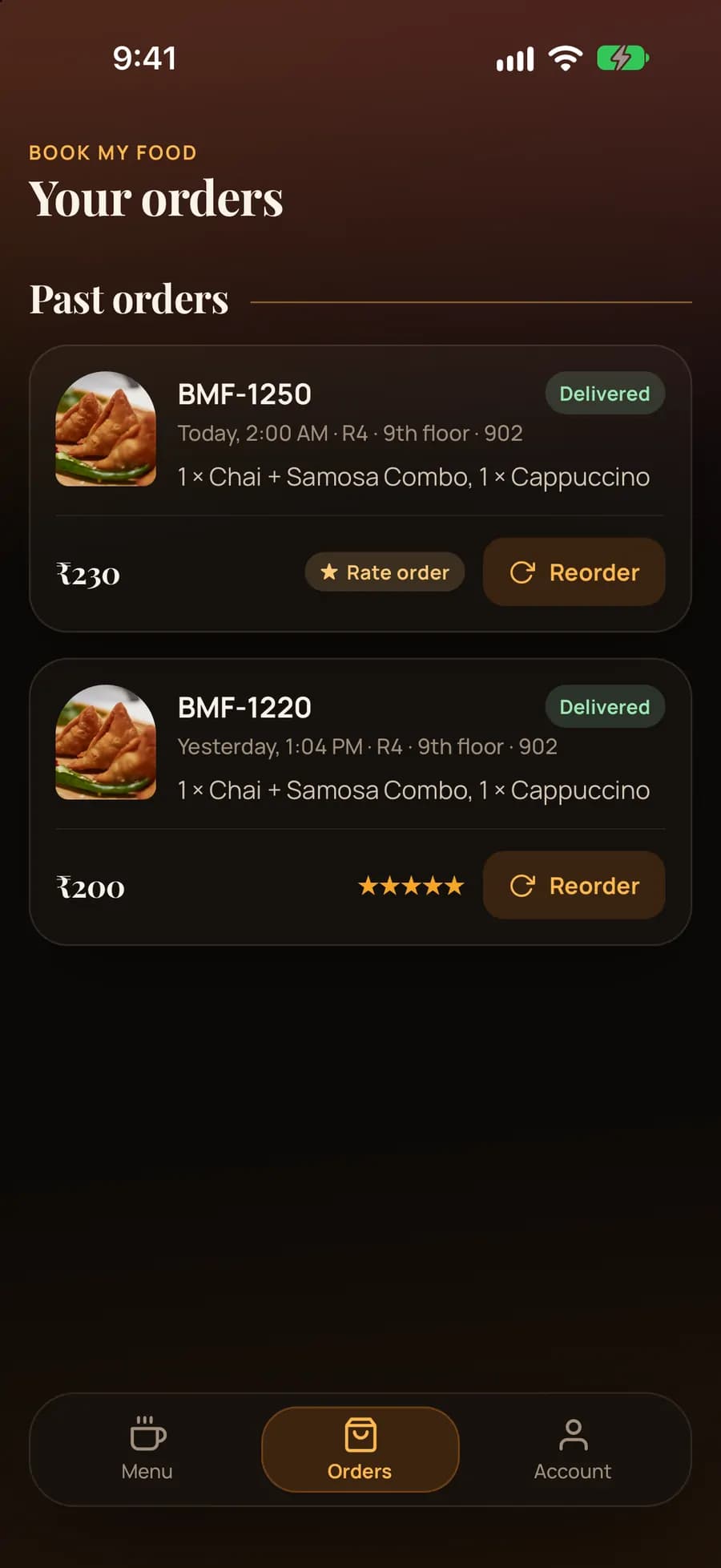
Five stars and a note after delivery. Your usual comes back on the menu, and every past order has a Reorder button; anything sold out that day is left out and named.

iPhone app Your orders list: two delivered orders BMF-1250 ₹230 and BMF-1220 ₹200 with Rate order and Reorder buttons.

Help, lessons and a guided tour

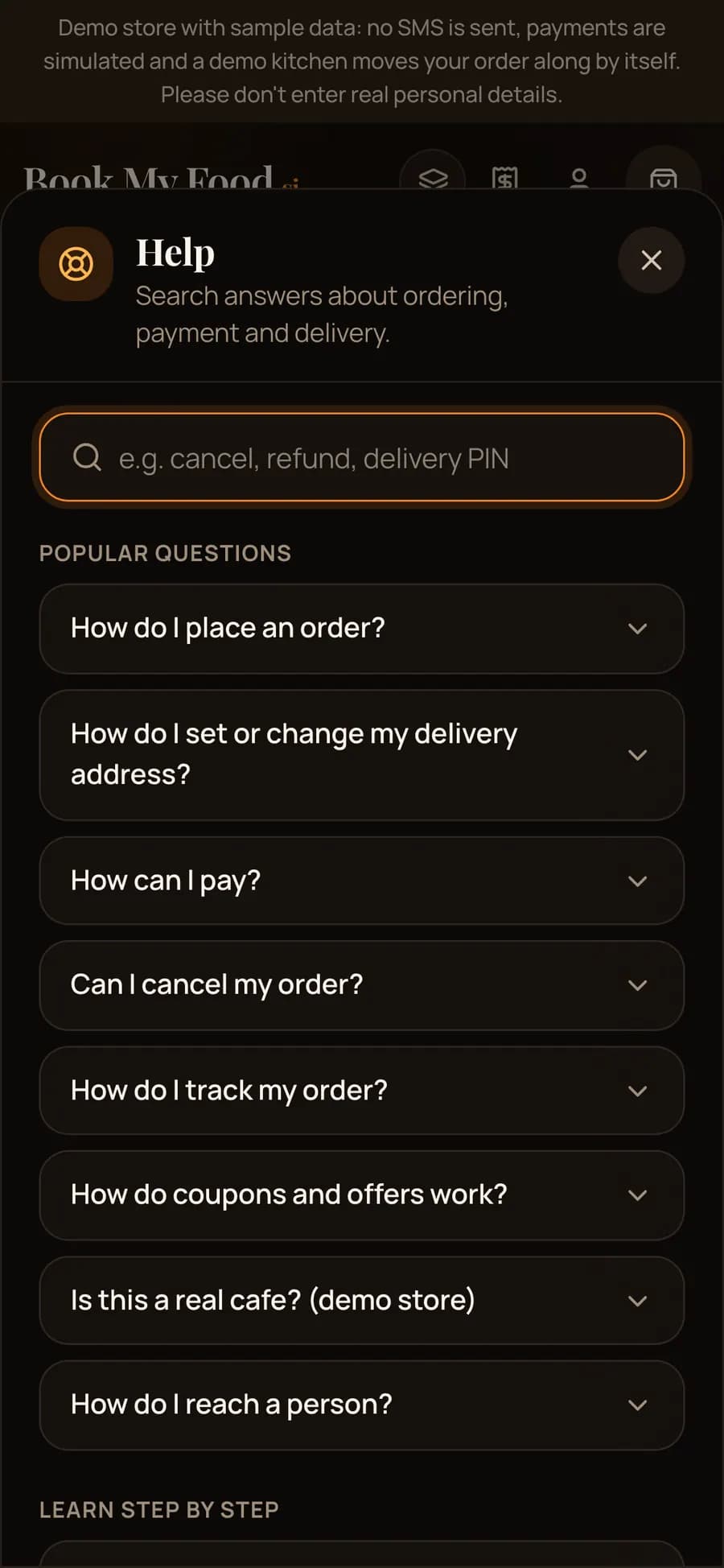
Search answers from any screen, follow a step-by-step lesson, take a five-step guided tour of the menu, or write to the cafe — replies arrive in your account.

Browse the lessons
The Help panel on a phone over the menu: a search field, popular questions such as How do I place an order? and How do coupons and offers work?, and Learn step by step.

Kitchen

For the kitchen

A live board for the counter tablet, built so that no order is missed on a busy evening.

A board that chimes until someone accepts

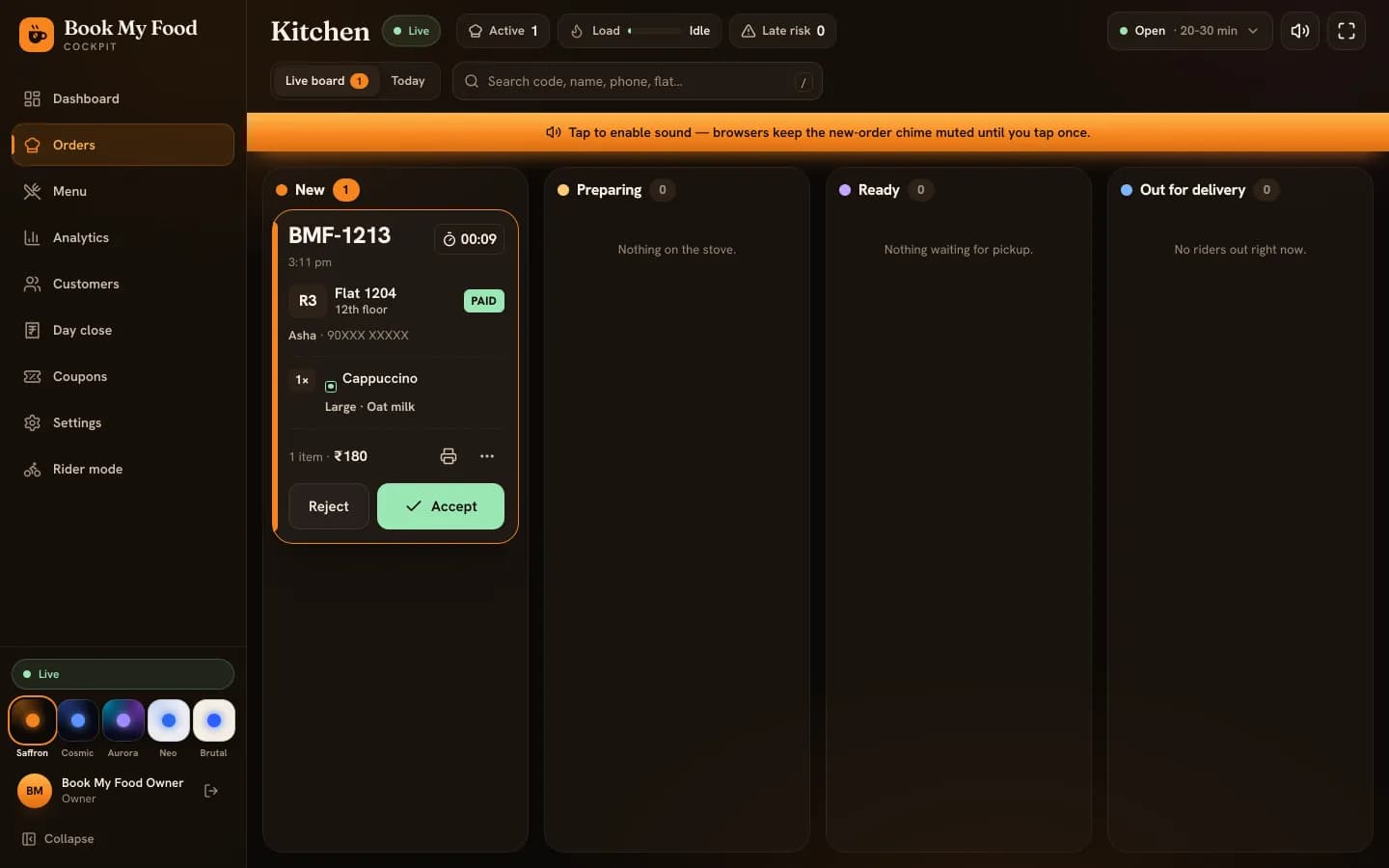
New, Preparing, Ready and Out for delivery, updated live. A chime repeats while any order waits in New. Each card shows the code, a timer, tower, floor and flat, items with options, and paid or cash.

Lesson: run the kitchen board
The kitchen board with a new demo order in the New column: tower R3, flat 1204, a large cappuccino with oat milk, PAID, and Reject and Accept buttons. A banner asks staff to tap once to enable the chime.

Accept with an ETA

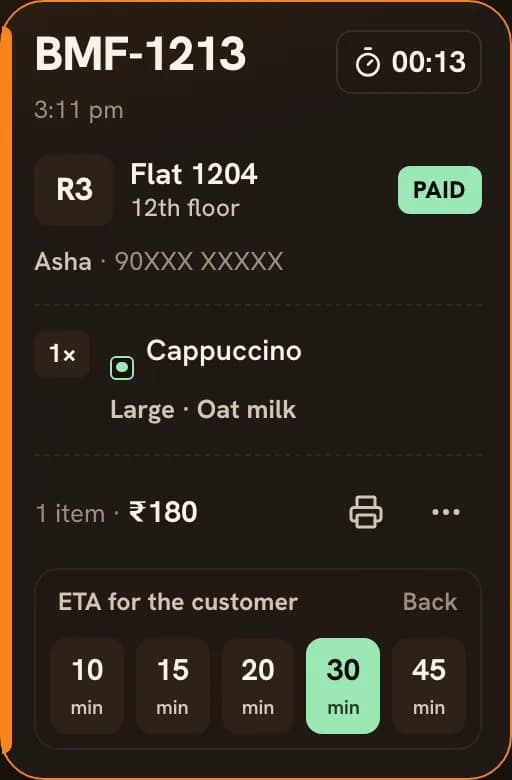
Pick 10, 15, 20, 30 or 45 minutes: it becomes the countdown the resident sees, and the GST invoice number is assigned. Reject with a reason and paid orders are refunded automatically.

An order card on the kitchen board with the ETA picker open: ETA for the customer, 10, 15, 20, 30 and 45 minutes.

Print the kitchen ticket

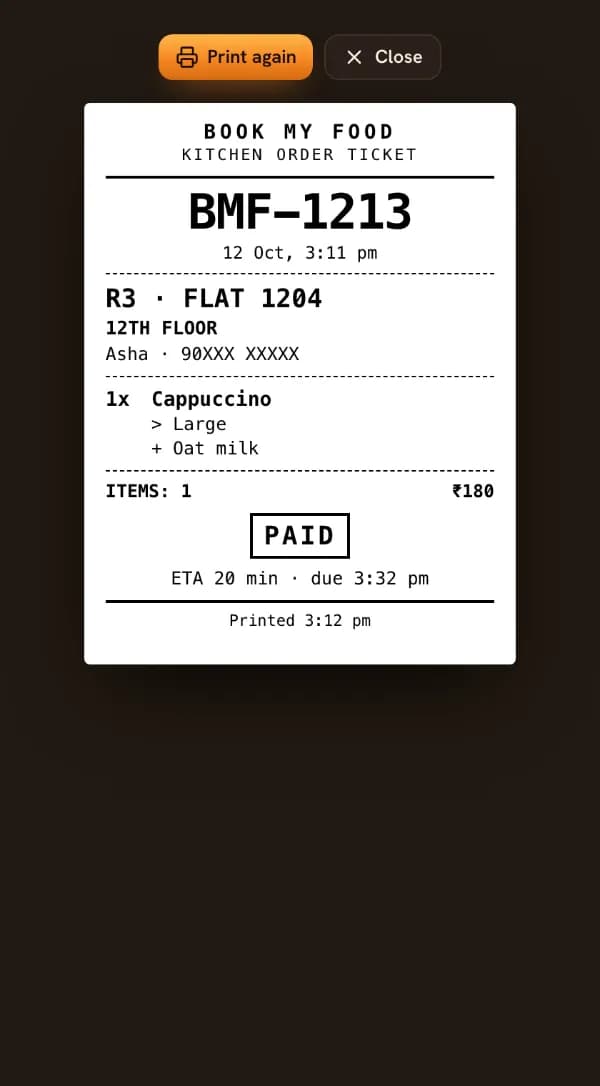
An 80 mm KOT from the card — flat, items with their options, paid or cash, the ETA — or turn on auto-print on accept.

A kitchen order ticket: BOOK MY FOOD, KITCHEN ORDER TICKET, the order code, R3 · FLAT 1204, 12TH FLOOR, 1x Cappuccino with Large and Oat milk, PAID and the ETA.

Preparing, ready, late risk

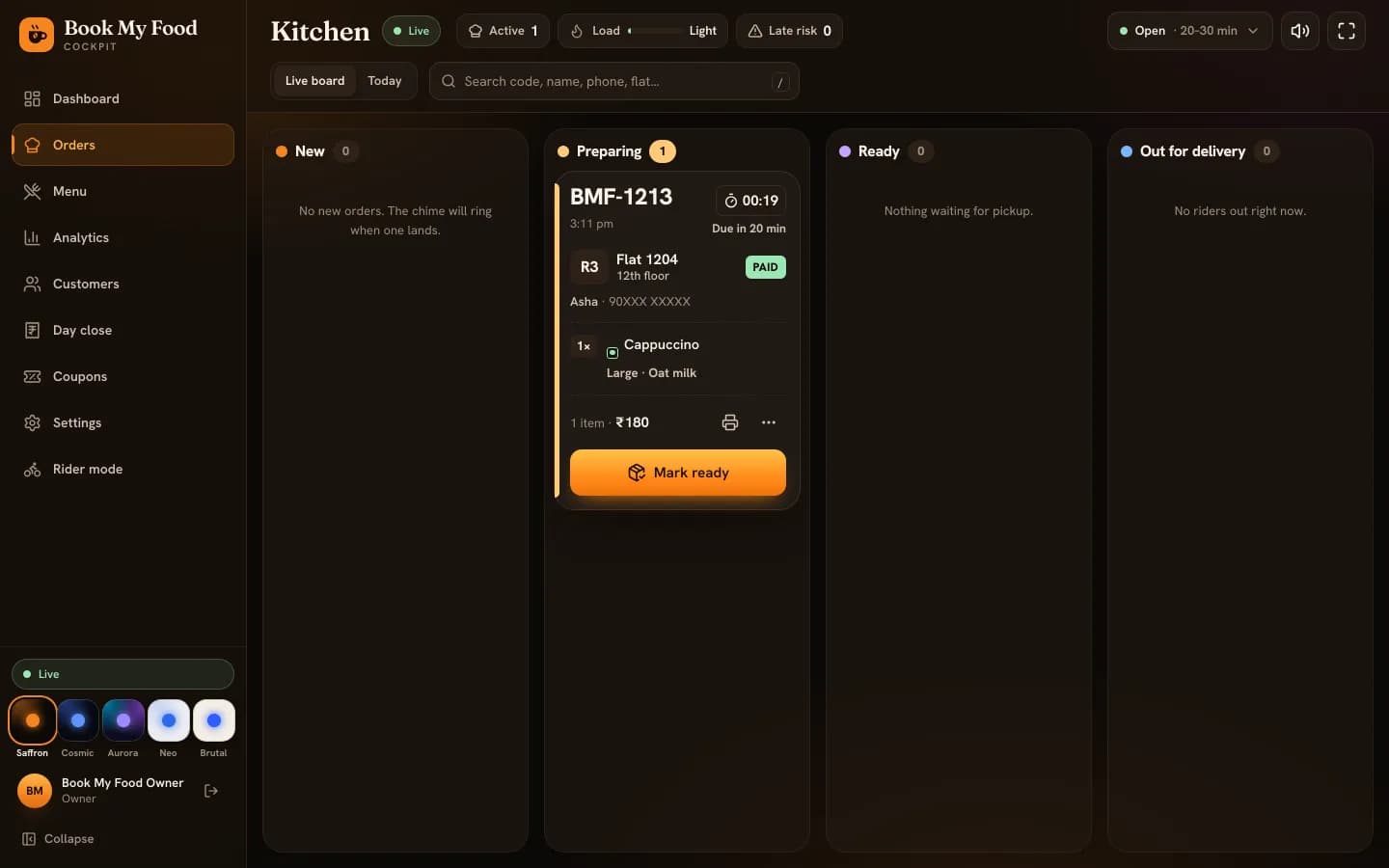
Due times on every card and a late-risk count at the top. Mark ready when it’s packed and it waits in rider mode, or assign a rider from the board.

The kitchen board after accepting: the order is in the Preparing column, due in 20 minutes, with a Mark ready button.

One-tap sold out

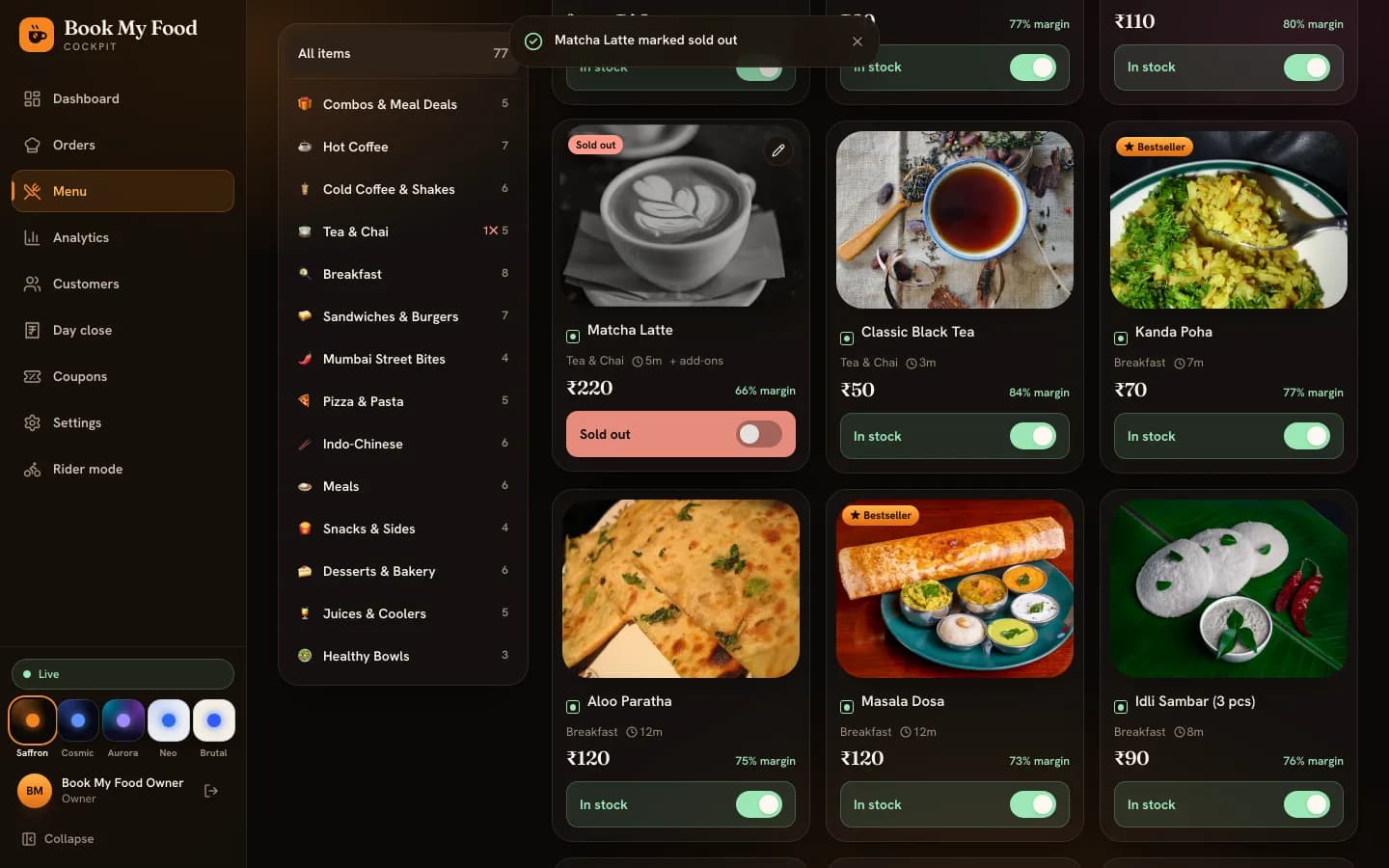
Kitchen staff can mark a dish sold out — and back in stock — in one tap. Residents see it greyed out at once, without refreshing.

Lesson: menu and sold out
The cockpit menu screen: the Matcha Latte card's switch reads Sold out in red while the other items read In stock in green.

Riders

For riders

Rider mode on the web or in the Android app: claim, deliver, confirm.

Claim ready orders, grouped by tower

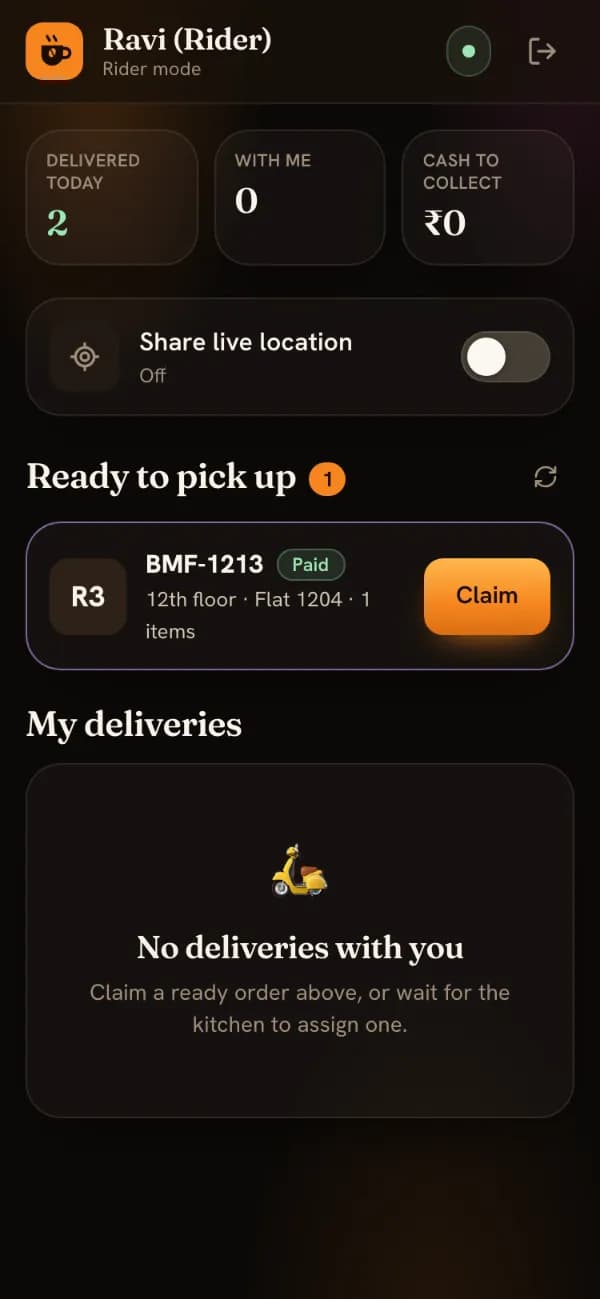
Ready orders wait under Ready to pick up with tower, floor, flat and payment. Claimed ones are grouped by tower with floors in lift order, so one trip covers several flats.

Lesson: rider deliveries
Rider mode with one order under Ready to pick up: tower R3, 12th floor, flat 1204, Paid, and a Claim button.

Share live location

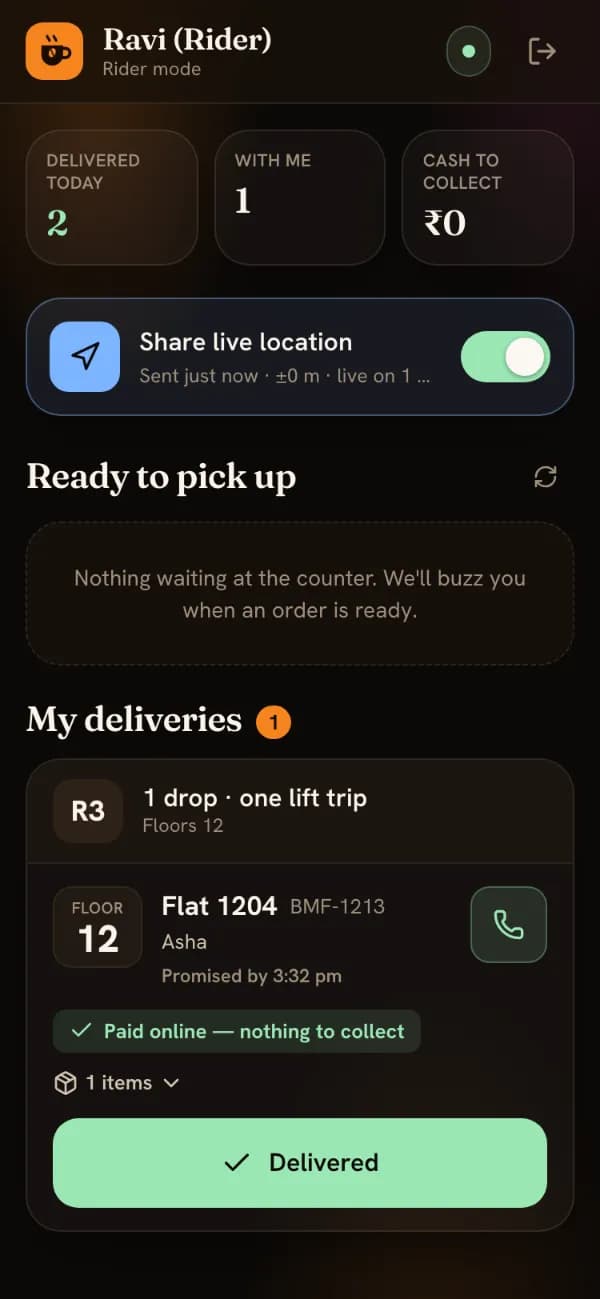
One switch puts the rider on the resident’s map while the order is on the way. Cash orders show exactly what to collect.

Rider mode on a phone: Share live location switched on, one delivery to tower R3, floor 12, flat 1204, marked paid online, and a Delivered button.

Deliver with the PIN

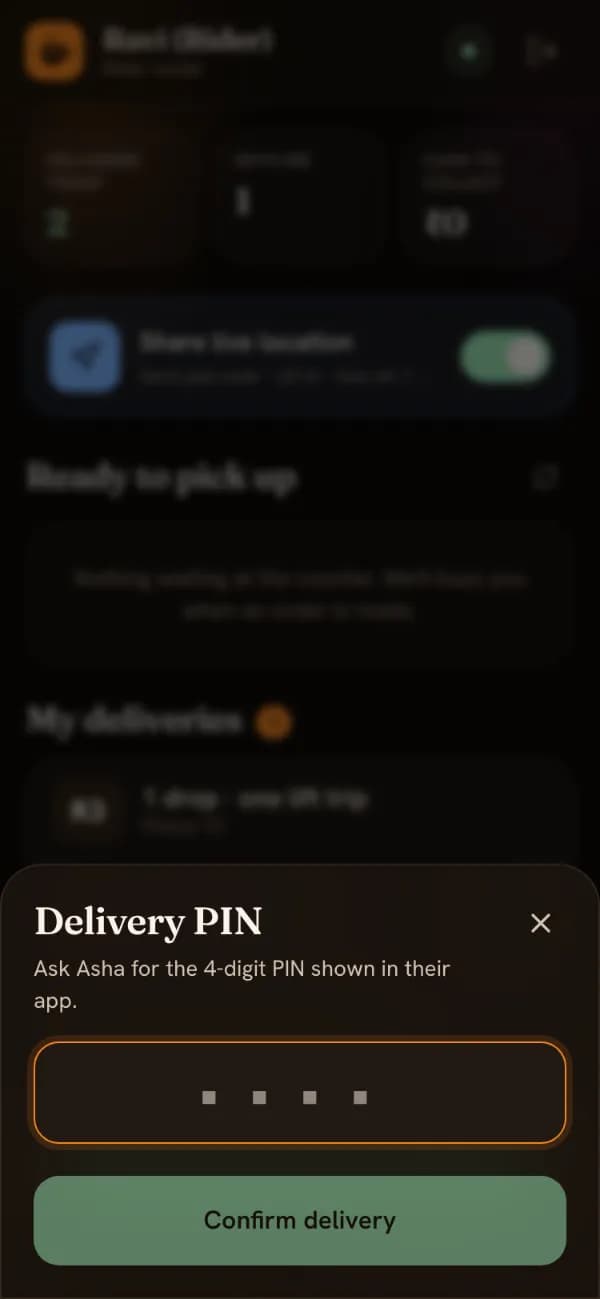
If the store uses delivery PINs, the resident reads out four digits at the door and the rider types them to complete the delivery.

The Delivery PIN dialog in rider mode: “Ask Asha for the 4-digit PIN shown in their app”, an empty 4-digit field and a Confirm delivery button.

Owner

For the owner

The cockpit at admin.bookmyfood.si: the day at a glance, the menu, the money and the customers.

Dashboard and store controls

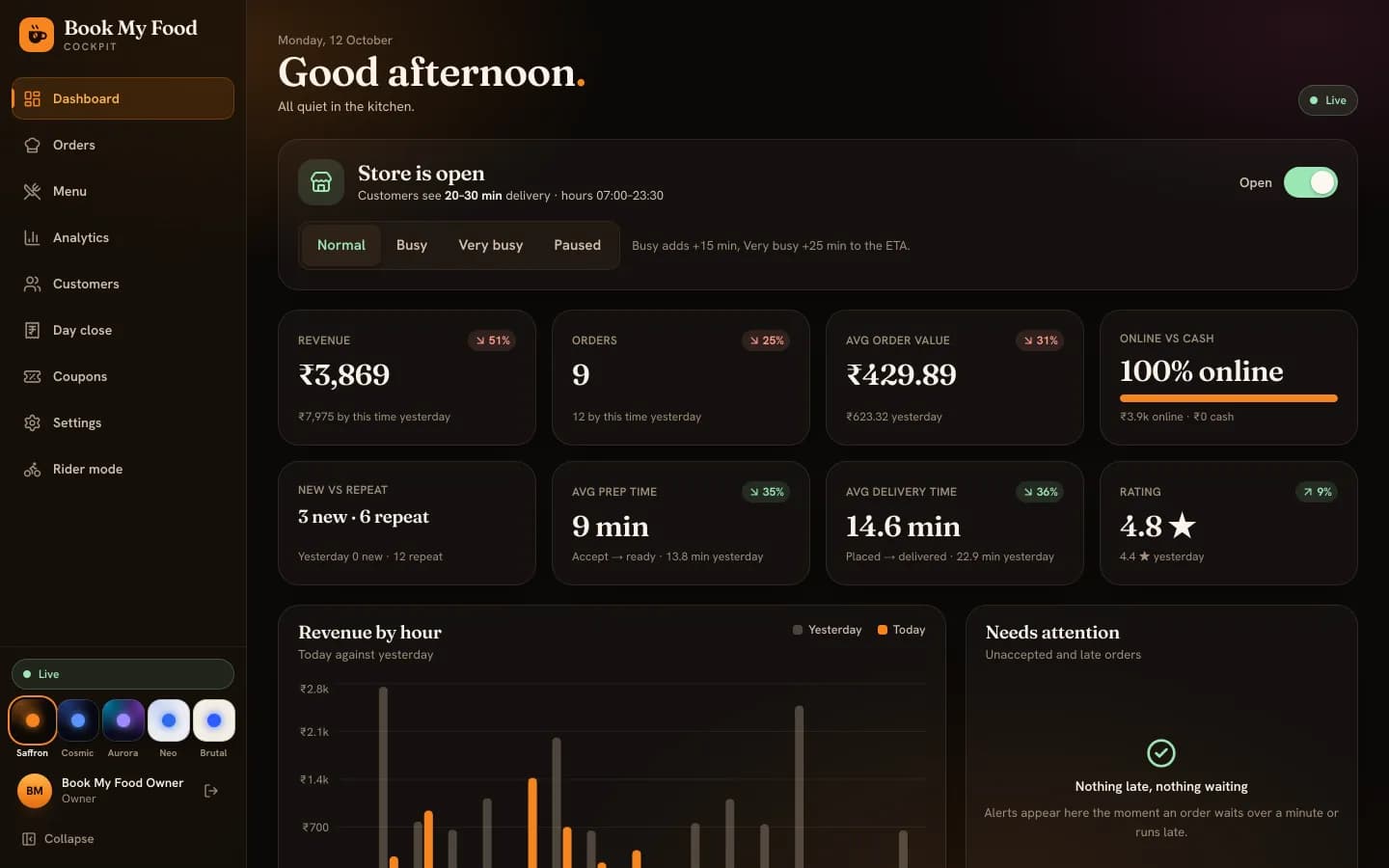
Open or closed, Normal, Busy (+15 min), Very busy (+25 min) or Paused in one tap; today’s numbers against yesterday and the orders that need attention.

The owner dashboard: Store is open with Normal, Busy, Very busy and Paused buttons, and tiles compared with yesterday. Demo data.

Analytics and the customer funnel

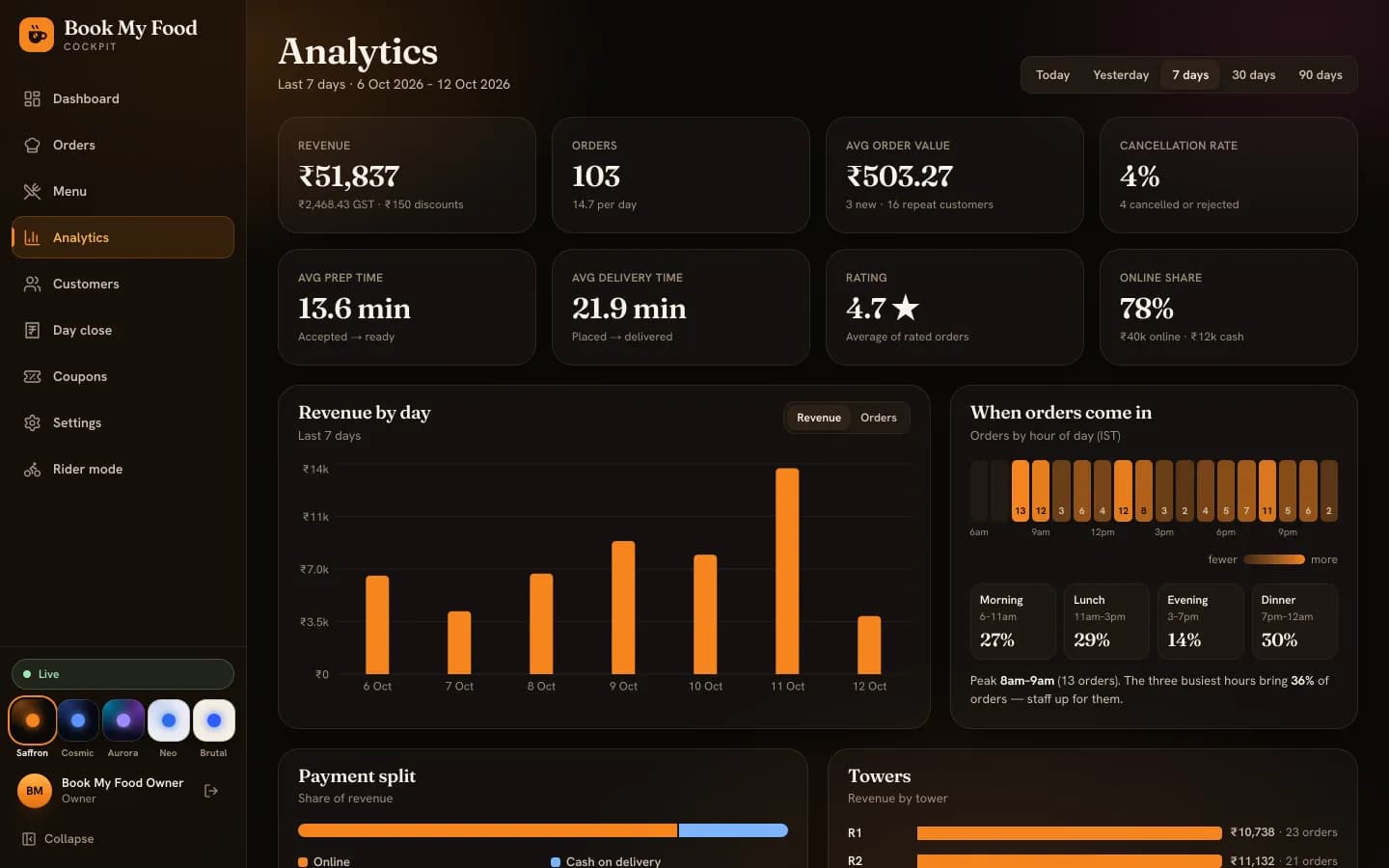
Revenue by day, when orders come in, payment split, busiest towers, top items with margins, ratings — and a funnel from first visit to first order, with staff left out.

Lesson: day close and reports
Analytics for the last 7 days on demo data: tiles, a revenue-by-day bar chart and an orders-by-hour strip.

Customers

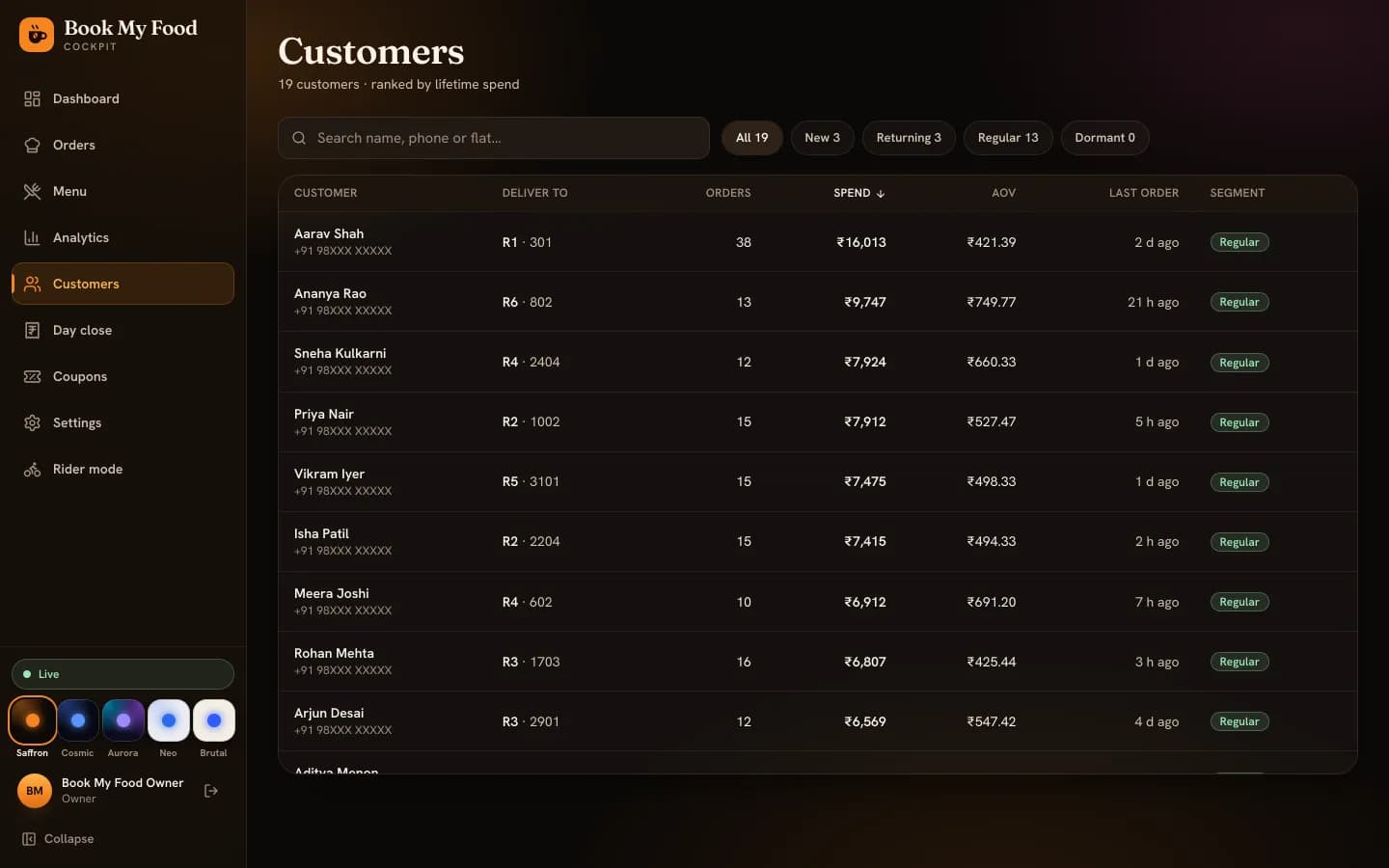
Every customer with tower and flat, orders, spend, average order value, last order and a segment.

The Customers screen with fictional demo customers, their towers and flats, order counts, spend, average order value, last order and segment. Phone numbers are masked.

Coupons

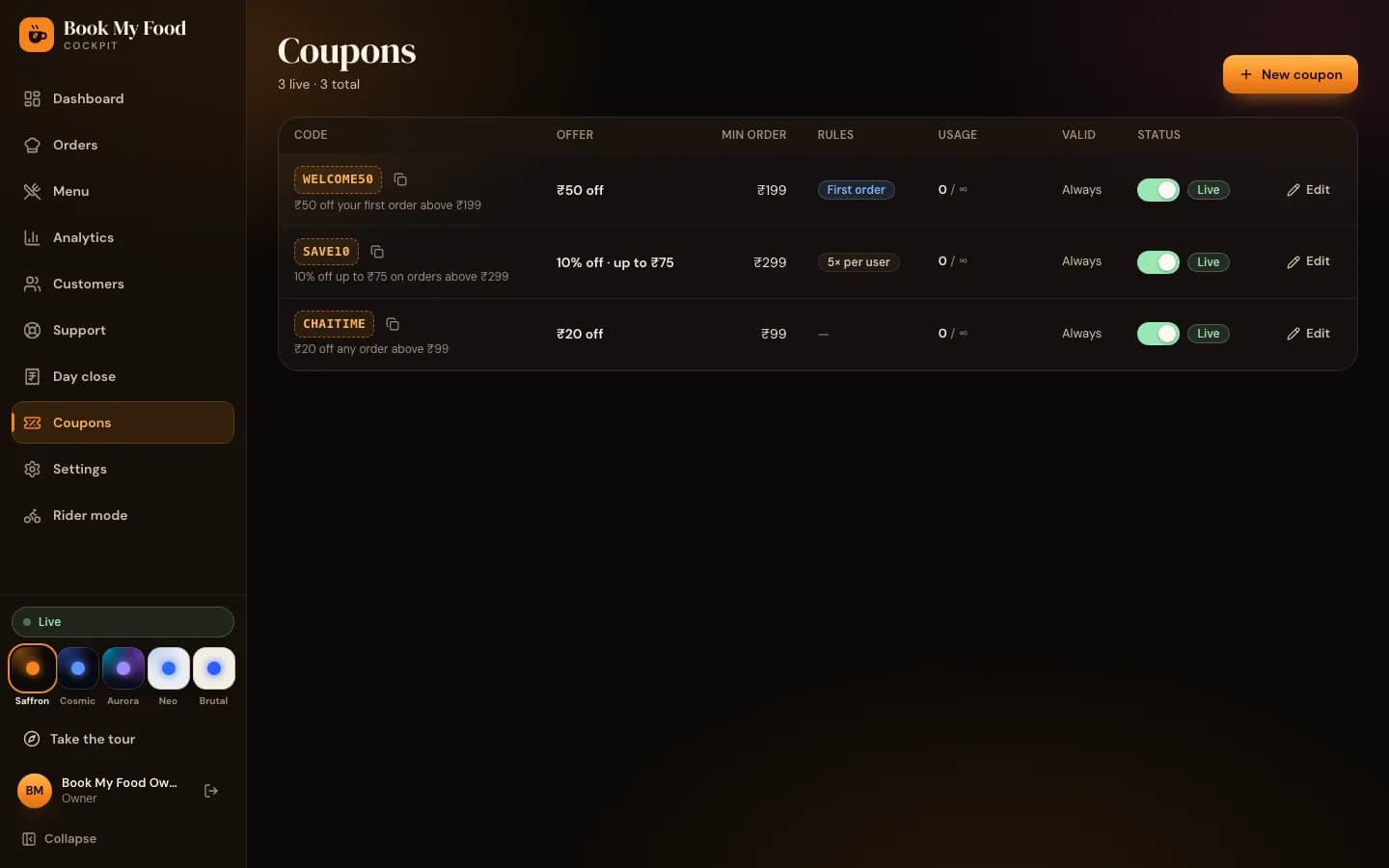
Flat or percent, a cap, a minimum order, total and per-person limits, start and end dates, first-order-only codes. They show up on the menu and at checkout by themselves.

See the demo store’s offers
The Coupons list on the demo store: WELCOME50, SAVE10 and CHAITIME, all live.

GST invoices

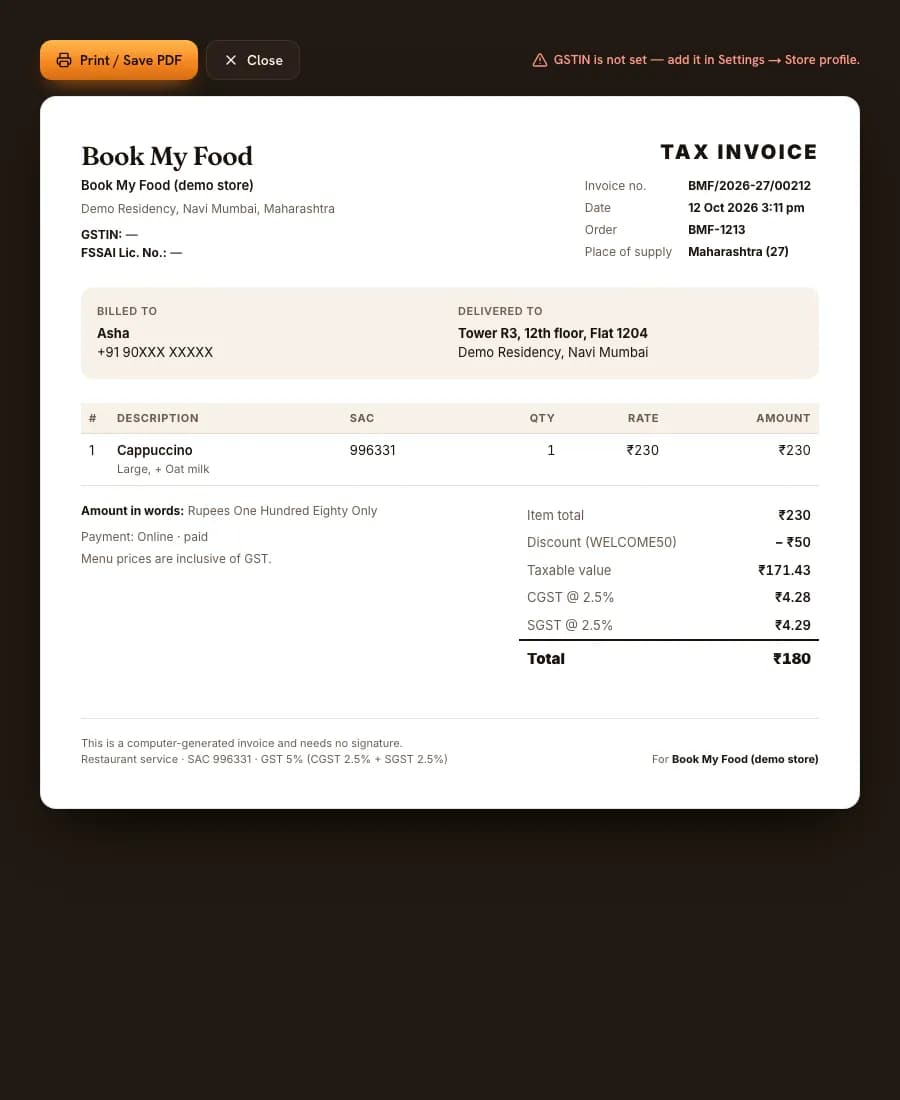
A tax invoice number on accept, CGST and SGST shown separately, the amount in words. Print it or save it as PDF.

A GST tax invoice for a demo order: an invoice number in the form BMF/2026-27/00000, SAC 996331, item total ₹230, WELCOME50 discount, CGST and SGST at 2.5% each and a total of ₹180.

Day close

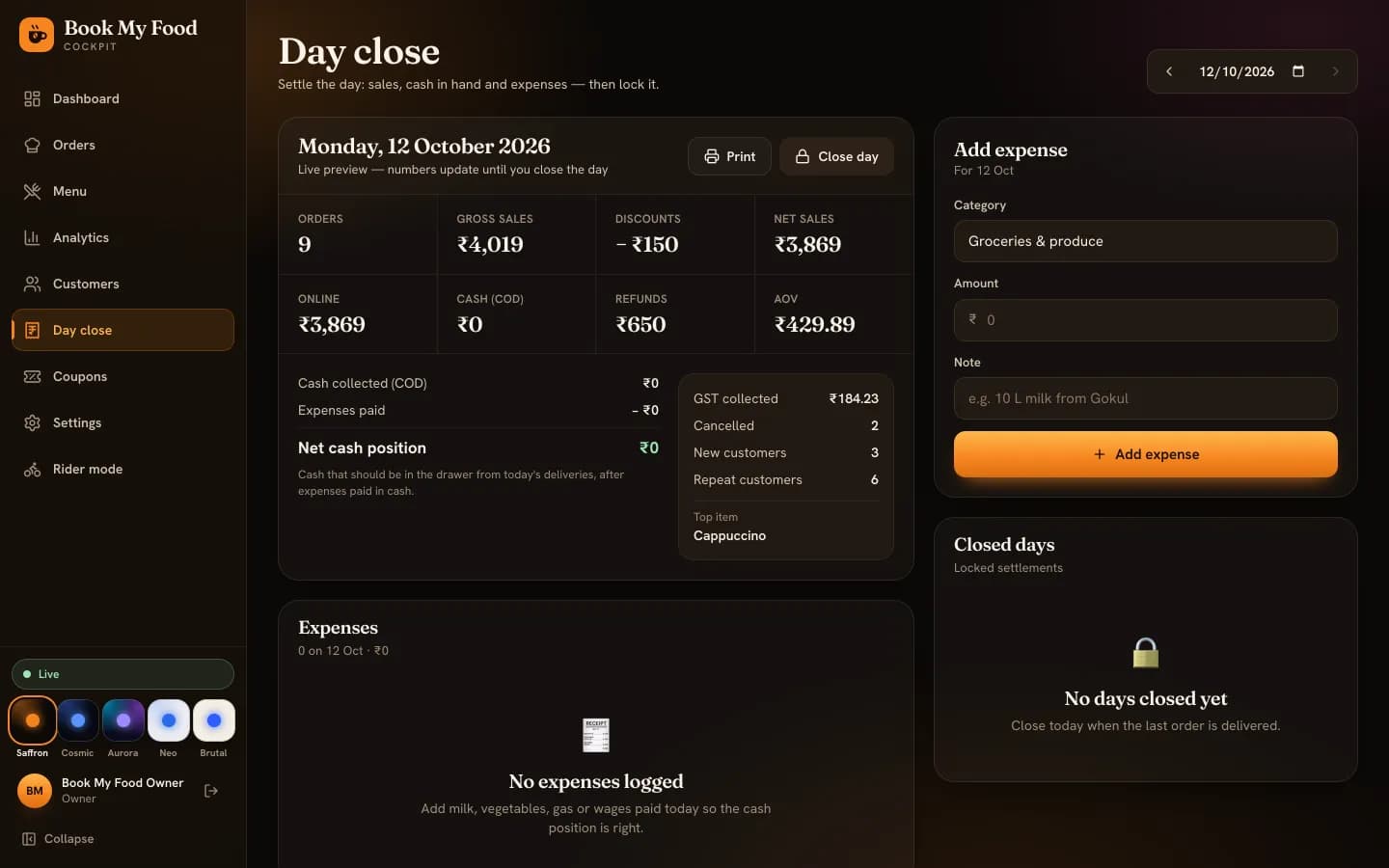
Orders, gross and net sales, discounts, online and cash, refunds, GST collected and the net cash position. Log expenses as you go, then lock the day.

  • Support inbox: requests from Help and the Contact page, answered from the cockpit
  • Staff roles: owner, manager, kitchen, cashier, rider
The Day close screen for a demo day: orders, gross and net sales, discounts, online and cash takings, refunds, net cash position, GST collected and the Add expense form.

Look and feel

Five themes, seven daily styles

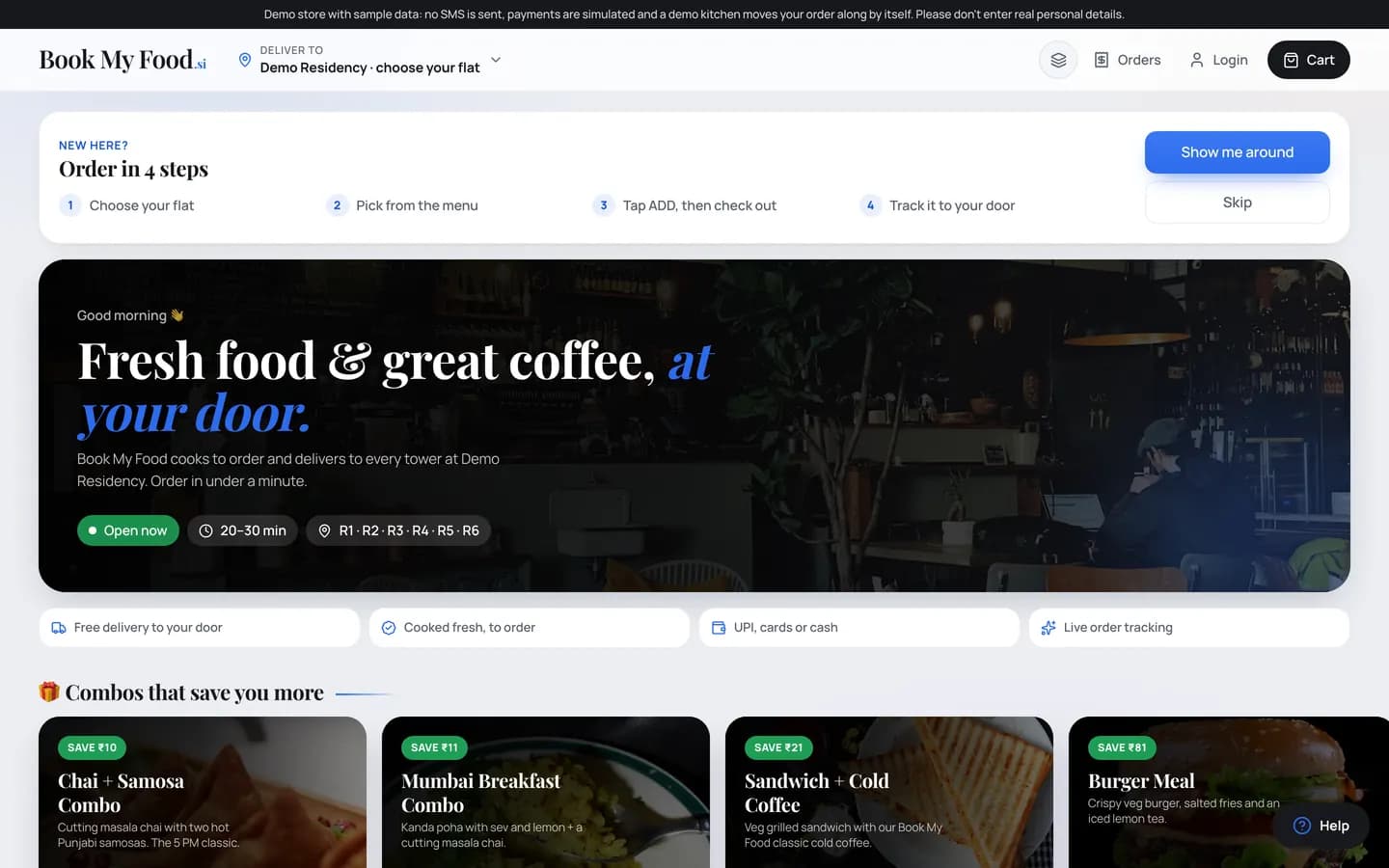
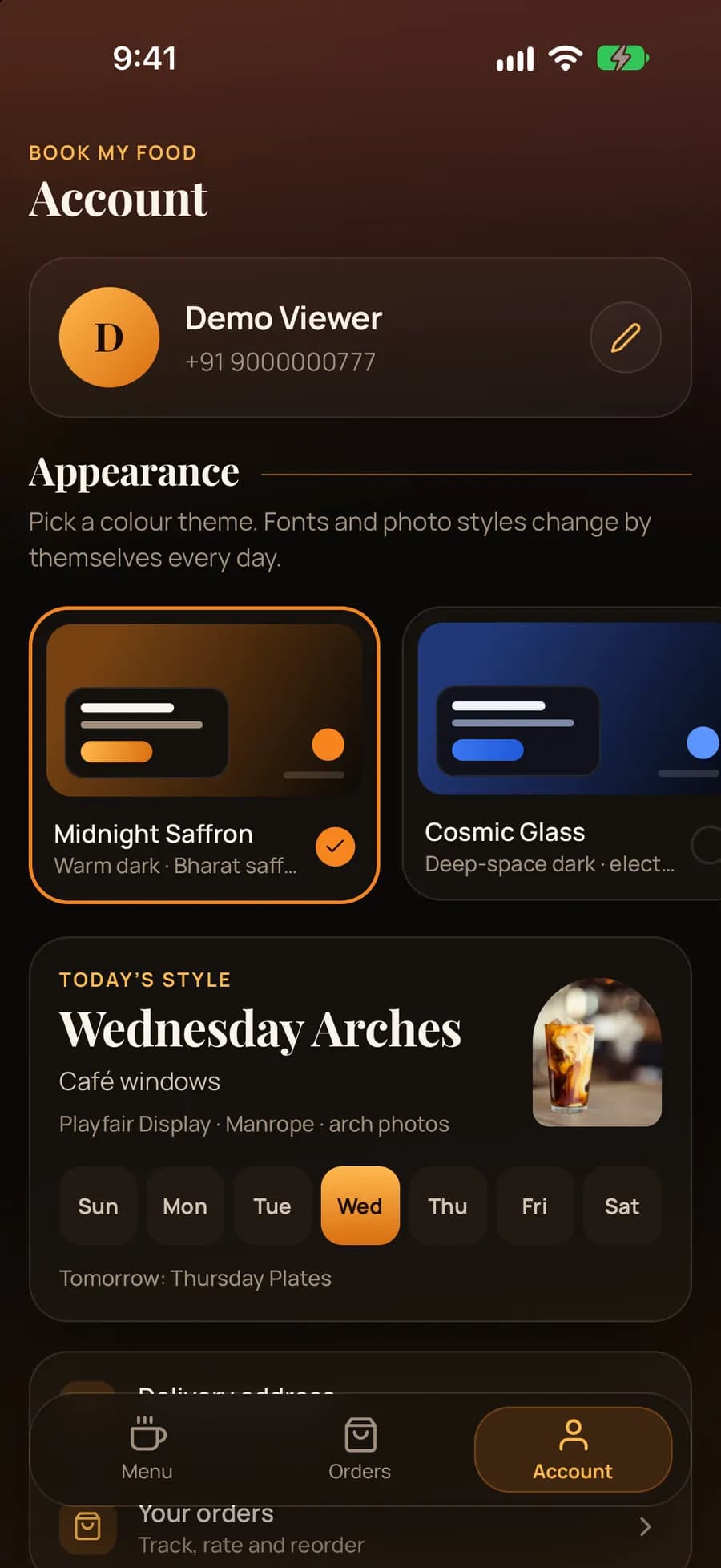
Residents pick a colour theme — it is remembered on their device. Fonts, heading decoration and photo shapes change by themselves each weekday, so the menu feels fresh without anyone touching it. Try a theme now: this whole site follows it.

The menu on a laptop in the Neo Light theme: a “New here? Order in 4 steps” card with Show me around and Skip, the hero with Open now, 20–30 min and towers R1 to R6, and the combos row.
iPhone app account: Demo Viewer profile, theme cards Midnight Saffron and Cosmic Glass, and today’s style Wednesday Arches with a weekday picker.

See it on your own phone

The demo store runs every feature on this page with sample data. Order something, then watch it move.

Demo store with sample data: Demo Residency and its orders are fictional, payments are simulated and nobody delivers.