
How your customers order from you, in 5 steps
From your menu to their door. No password, no app needed.
Book My Food team Published 3 min read
 Illustrative photo
On this page
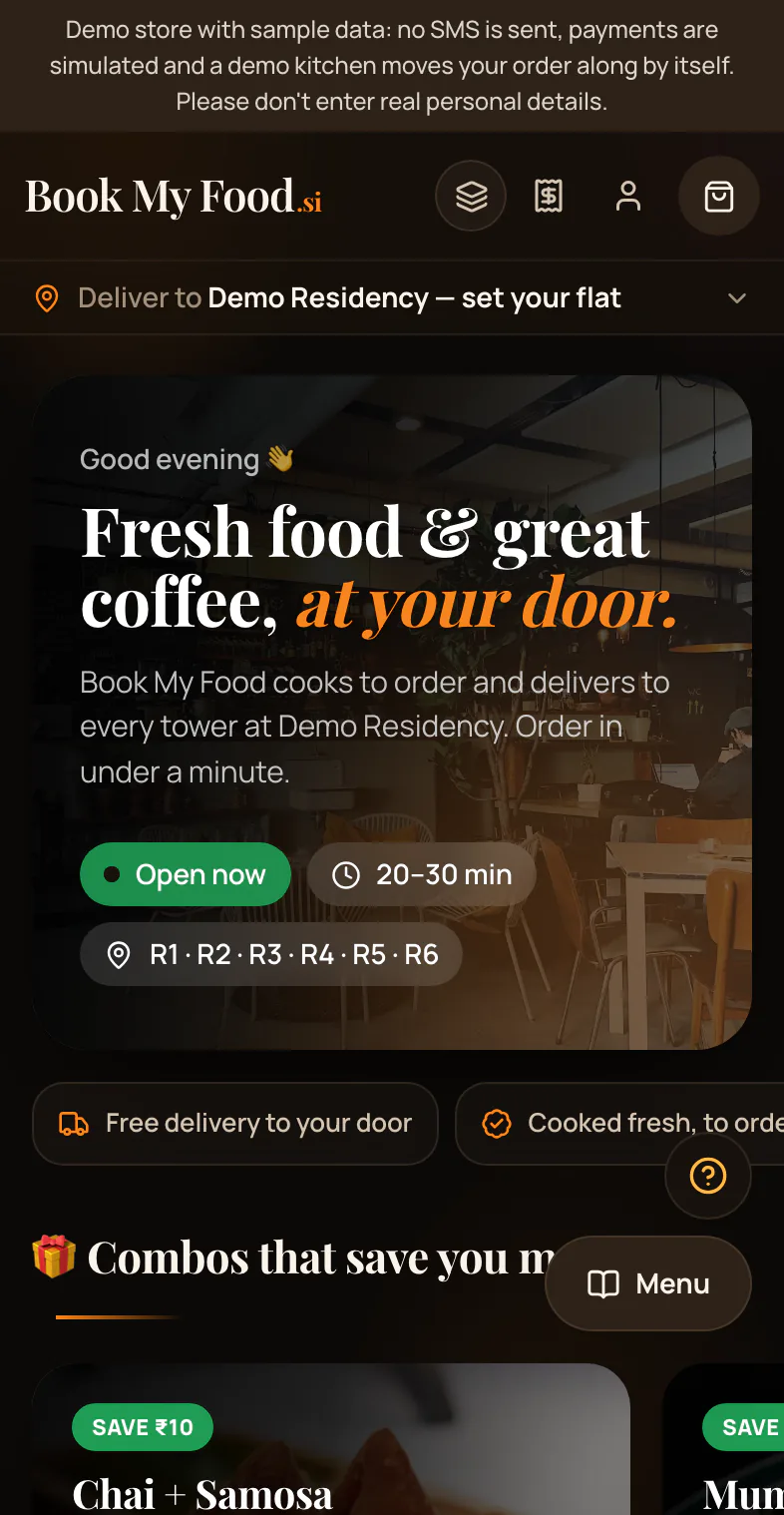
Ordering from your business takes your customer about a minute. Here is every step, with real screens from the demo store.
1. They choose food
Your customer opens your menu. They scroll, or search by name.
Every dish shows its price and a veg or non-veg mark.
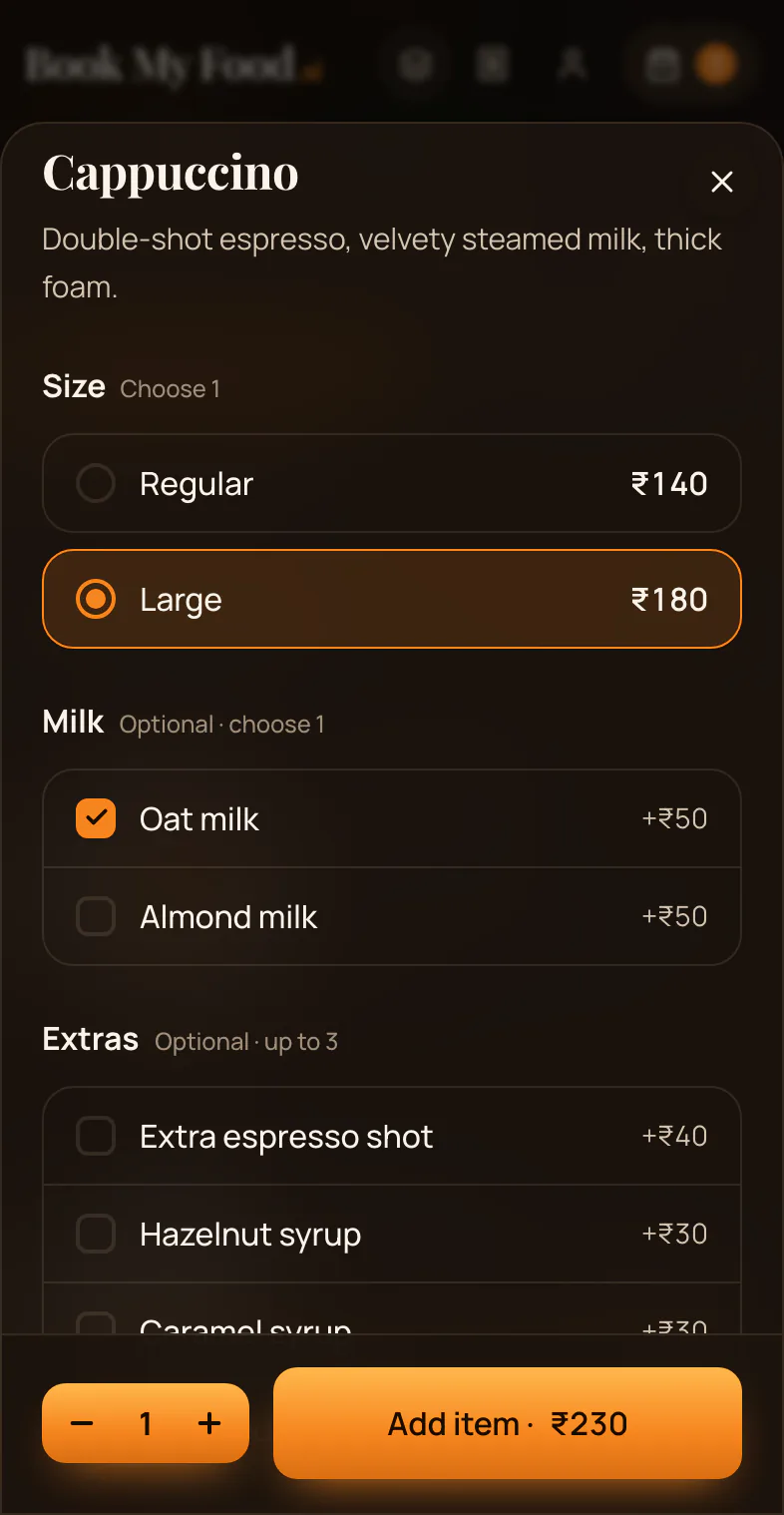
2. They pick a size and add-ons
Some dishes come in sizes or have extras. Your customer chooses them, then taps Add.
They can leave a short note for your kitchen, like “less spicy”.
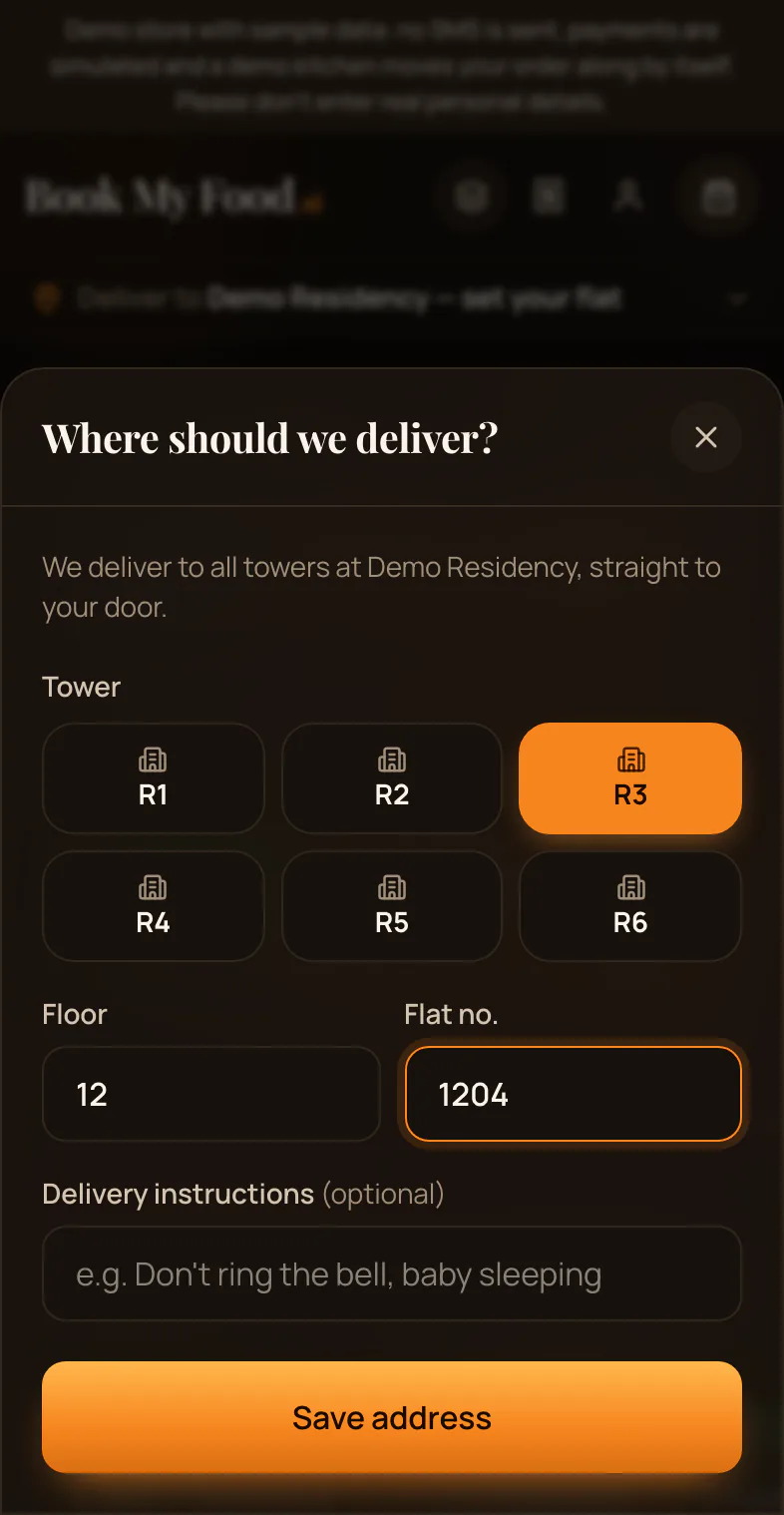
3. They choose tower, floor and flat
Your customer opens the cart and goes to checkout.
They pick their tower, floor and flat. No map pin is needed.
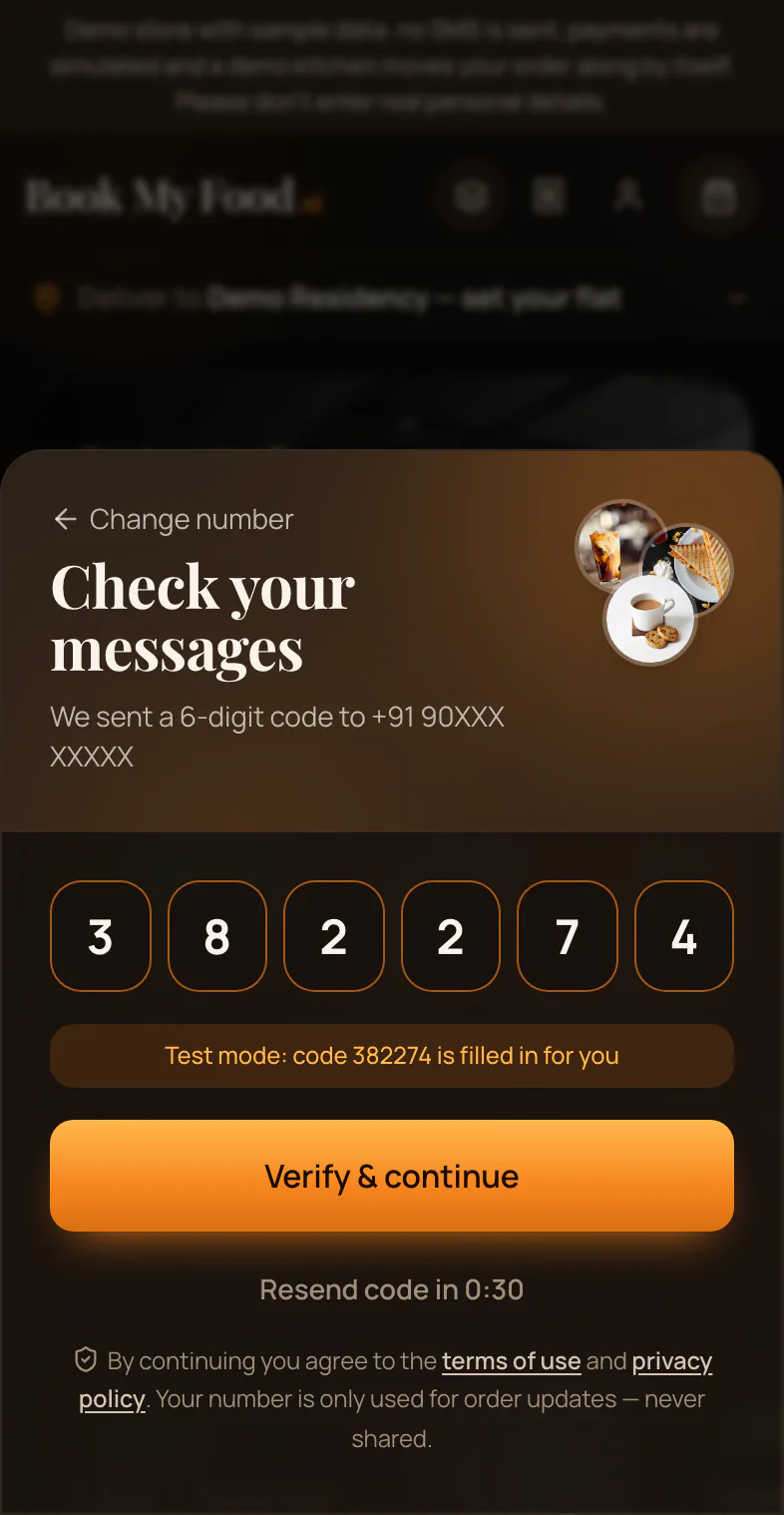
4. They sign in with their phone
Your customer enters their mobile number and types the 6-digit code. There is no password.
On the demo store the code is shown on the screen. No SMS is sent.
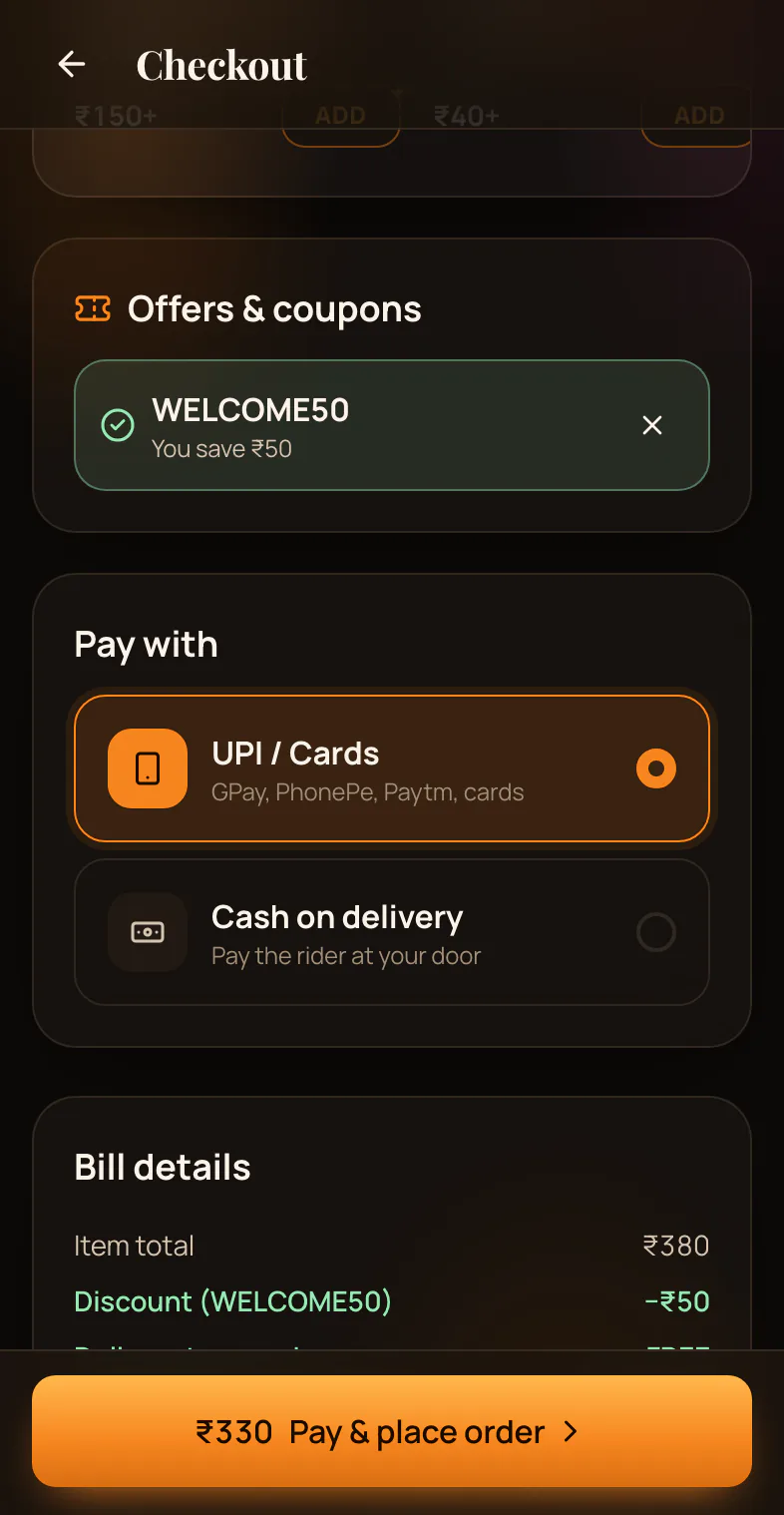
5. They pay and place the order
Your customer checks the bill and adds an offer code if they have one.
Pay cash on delivery, or online by UPI or card. On the demo store, online payment is a test, so no money moves.
They tap Place order.
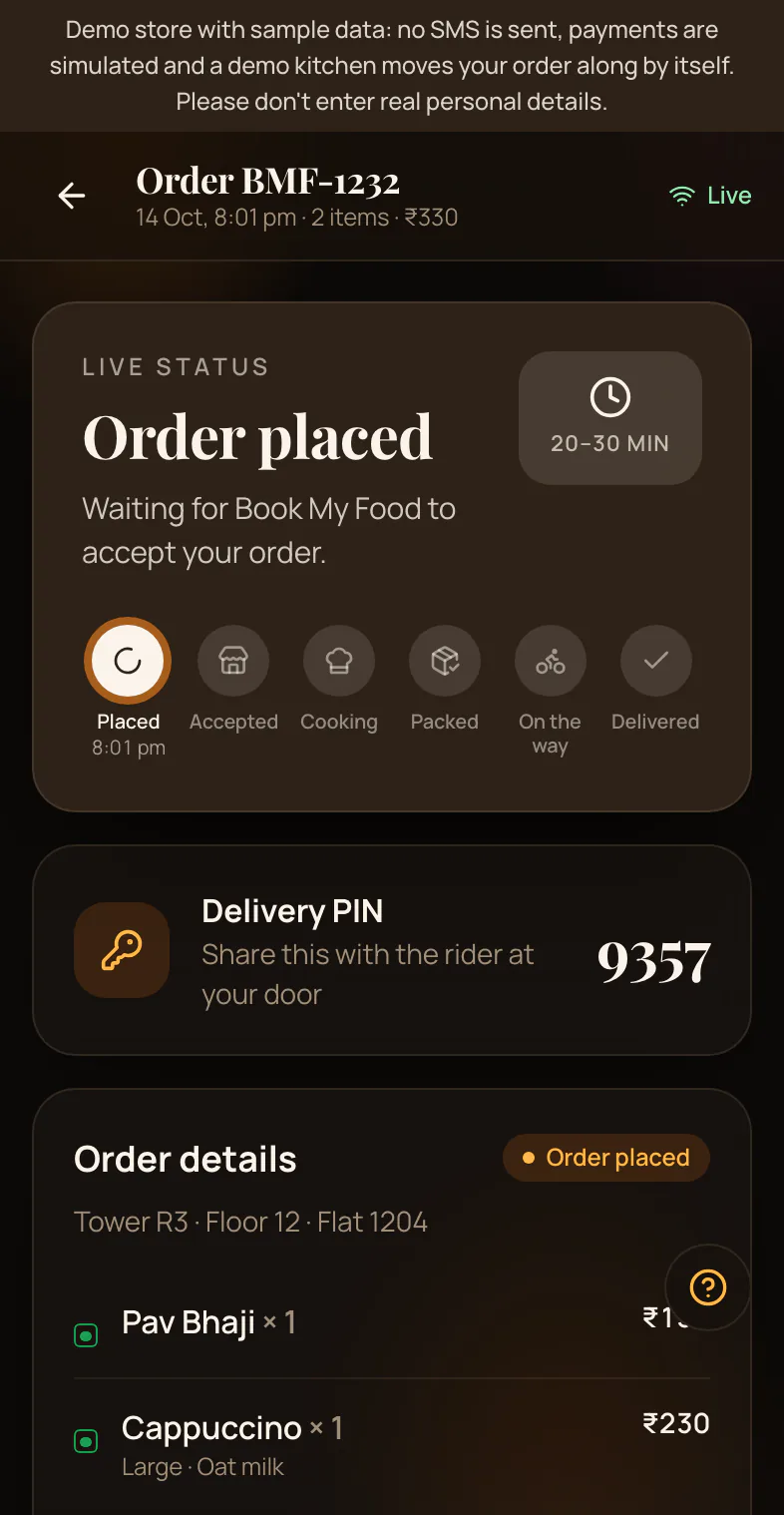
What happens next
The order shows Order placed and arrives on your kitchen board.
When you accept it, it says Accepted and your customer sees a ready time.
Good to know
- Their flat is remembered for next time.
- They can cancel while it says “Order placed”.
- Next time, Order again is one tap.
Try it yourself: Try the demo store.
Watch it
Getting started: your first order
On a phone, step by step: browse, add to cart, choose tower, floor and flat, log in with a one-time code, pay, and track the order to your door.
Order as your customers would.
Try the demo store

